Engine Control Module DTC Memory, Checking and Erasing
Engine Control Module DTC Memory, Checking and Erasing
Special tools, testers and auxiliary items required
• Vehicle diagnostic tester
Perform the following:
- Connect the Vehicle Diagnosis Tester - 1 -.
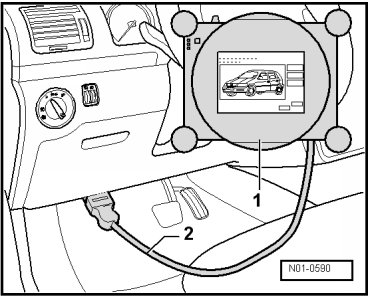
- Connect the diagnostic cable connector - 2 - to the diagnostic connection inside the footwell on the driver side.
- Start the engine and let it run at idle.
Only if engine does not start:
- Turn on the ignition.
Selecting operating mode:
- Press the "OBD" button on the screen.
Selecting vehicle system:
- Press the "01 - engine electronics" button on the display.
The control module identification with coding - 2 - as well as Vehicle Identification Number (VIN) in center area and identification of anti-theft immobilizer appear on the display.
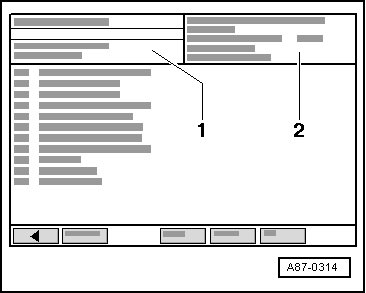
• A printout of available if needed. Press the "print" button.
Selecting diagnosis function:
- Press "02 - Check DTC memory" on the touch screen.
- If no malfunction is stored in engine control module, "0 DTC(s) detected" is displayed.
- If malfunctions are stored in the engine control module, these are shown one below another on the display.
- Press the <- button.
- Press "05 - Erase DTC memory" on the touch screen.
- Press "06 - End output".
• If the DTC memory was erased, the readiness code must be generated again => vehicle diagnostic tester "Guided Fault Finding".