Symptom Related Diagnostic Procedures
PROBLEM SYMPTOMS TABLEProblem Symptoms Table:
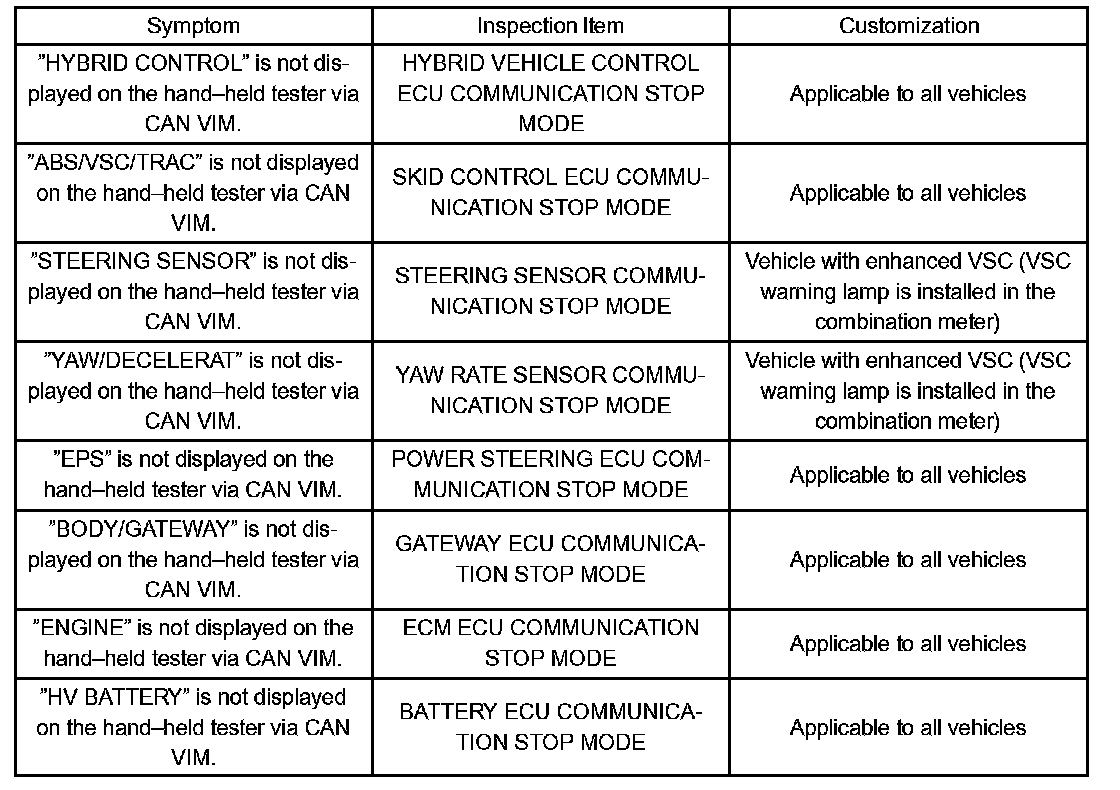
1. COMMUNICATION STOP MODE TABLE
a. Check that there is no open circuit in the CAN main bus line, short between the lines, or short to +B in the "CHECK CAN BUS LINE". Select "BUS CHECK" on the hand-held tester via the CAN VIM.
b. Check the communication stop mode of the ECUs or sensors not displayed among the following: "ENGINE", "ABS/VSC/TRAC", "STEERING SENSOR", "YAW/DECELERAT", "EPS", "BODY/GATEWAY", "HYBRID CONTROL" OR "HV BATTERY".
NOTE:
- Systems using the CAN communication system differ according to optional settings. Check which ECUs or sensors are installed on the vehicle.
- Non-installed ECUs or sensors are not displayed. Be careful not to consider that they are in communication stop mode.
- If 2 or more ECUs or sensors are not displayed on the hand-held tester via the CAN VIM, perform troubleshooting for communication stop mode for each un-displayed ECU or sensor. (Either side of the CAN bus lines may be open.)
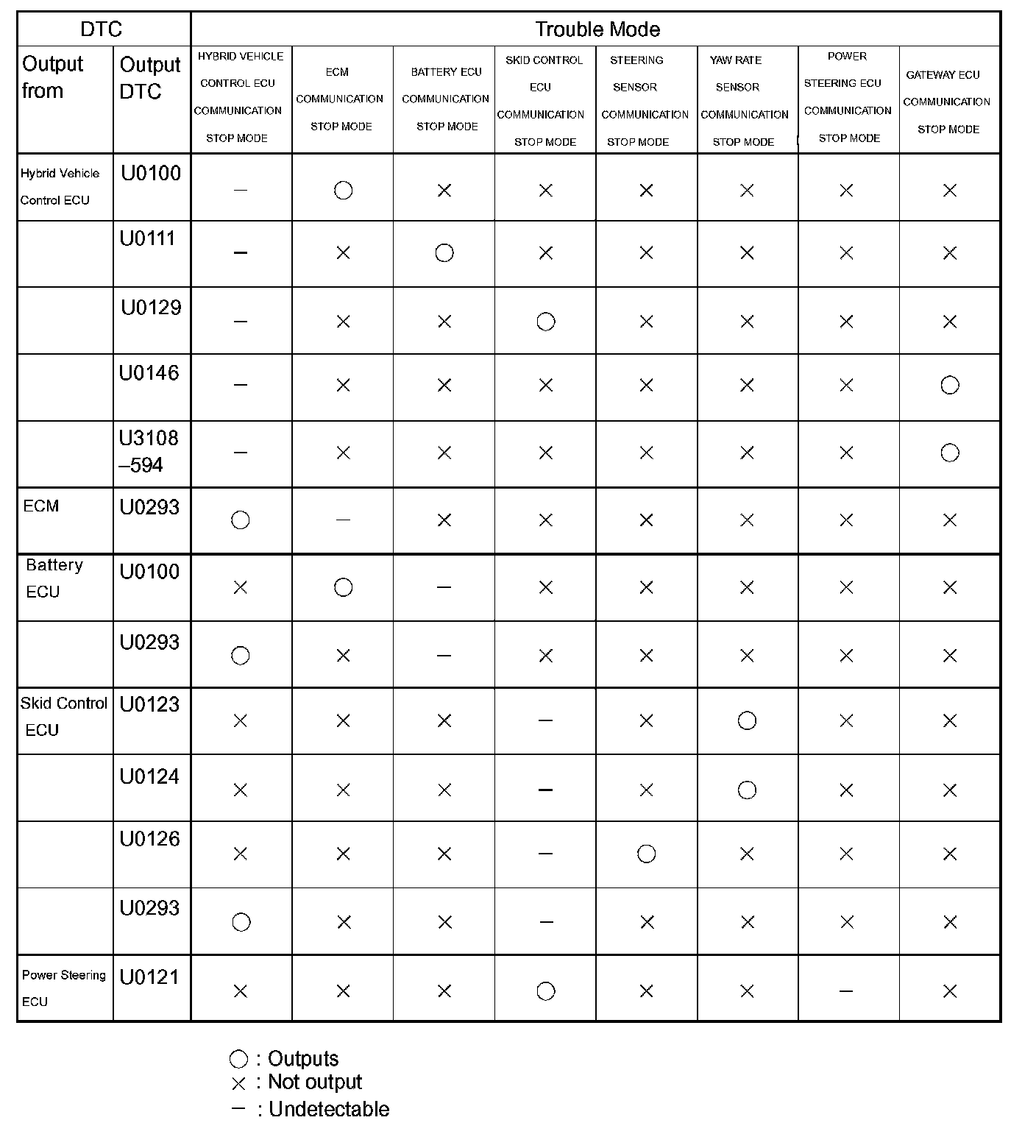
2. DTC COMBINATION TABLE
a. Perform troubleshooting according to the combination of DTCs output.
NOTE:
- If U0146 or P3108-594 is output, check the "MULTIPLEX COMMUNICATION SYSTEM" before proceeding to "GATEWAY ECU COMMUNICATION STOP MODE".
- If U0100-211 or U0111-208 is output separately by the hybrid control ECU, refer to "HYBRID CONTROL SYSTEM".
HINT:
- HYBRID VEHICLE CONTROL ECU COMMUNICATION STOP MODE.
- ECM COMMUNICATION STOP MODE.
- BATTERY ECU COMMUNICATION STOP MODE.
- SKID CONTROL ECU COMMUNICATION STOP MODE.
- STEERING SENSOR COMMUNICATION STOP MODE.
- YAW RATE SENSOR COMMUNICATION STOP MODE.
- POWER STEERING ECU COMMUNICATION STOP MODE.
- GATEWAY ECU COMMUNICATION STOP MODE.