Steering Pad Switch LH
Audio & Visual System Location:
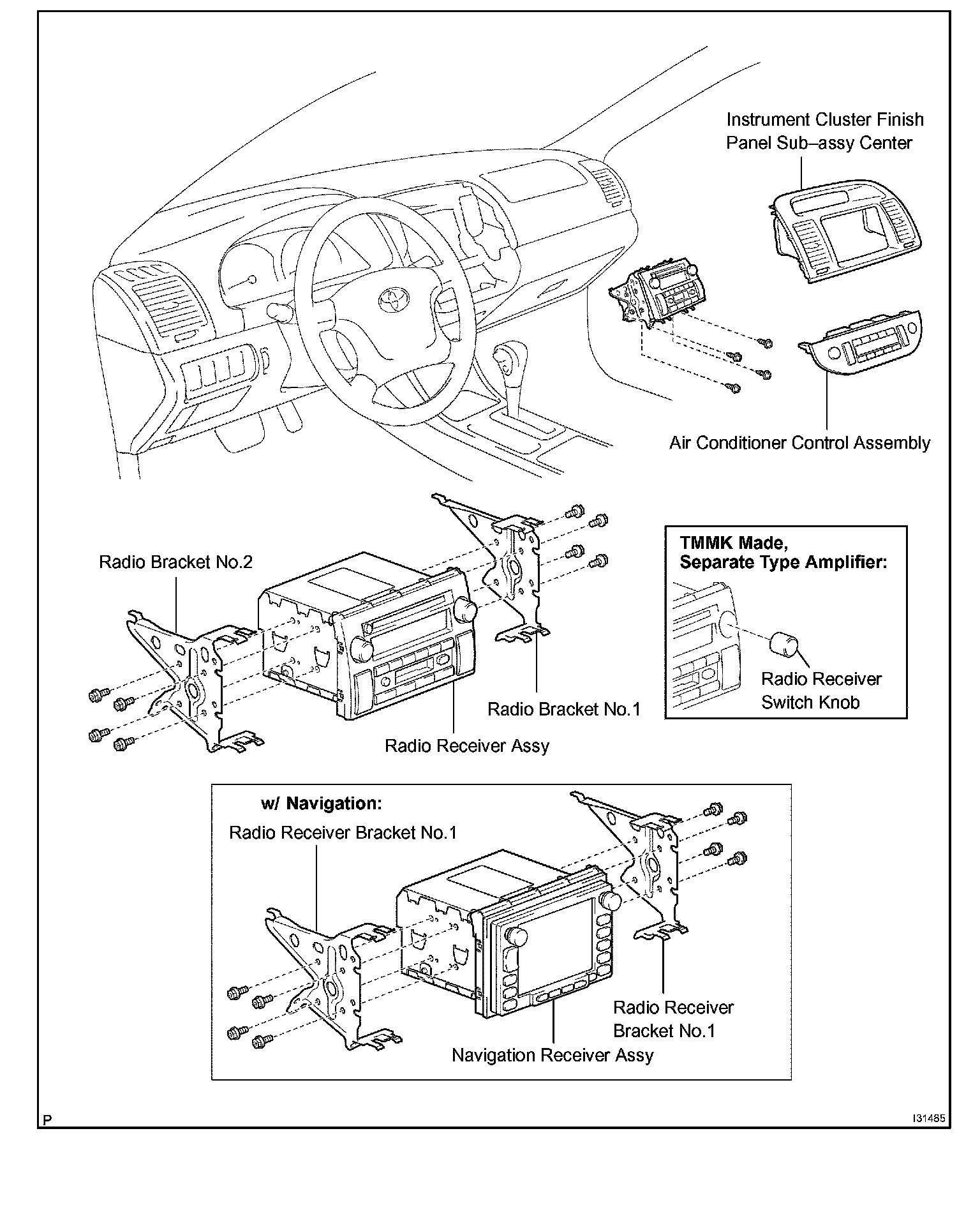
Audio & Visual System Location:
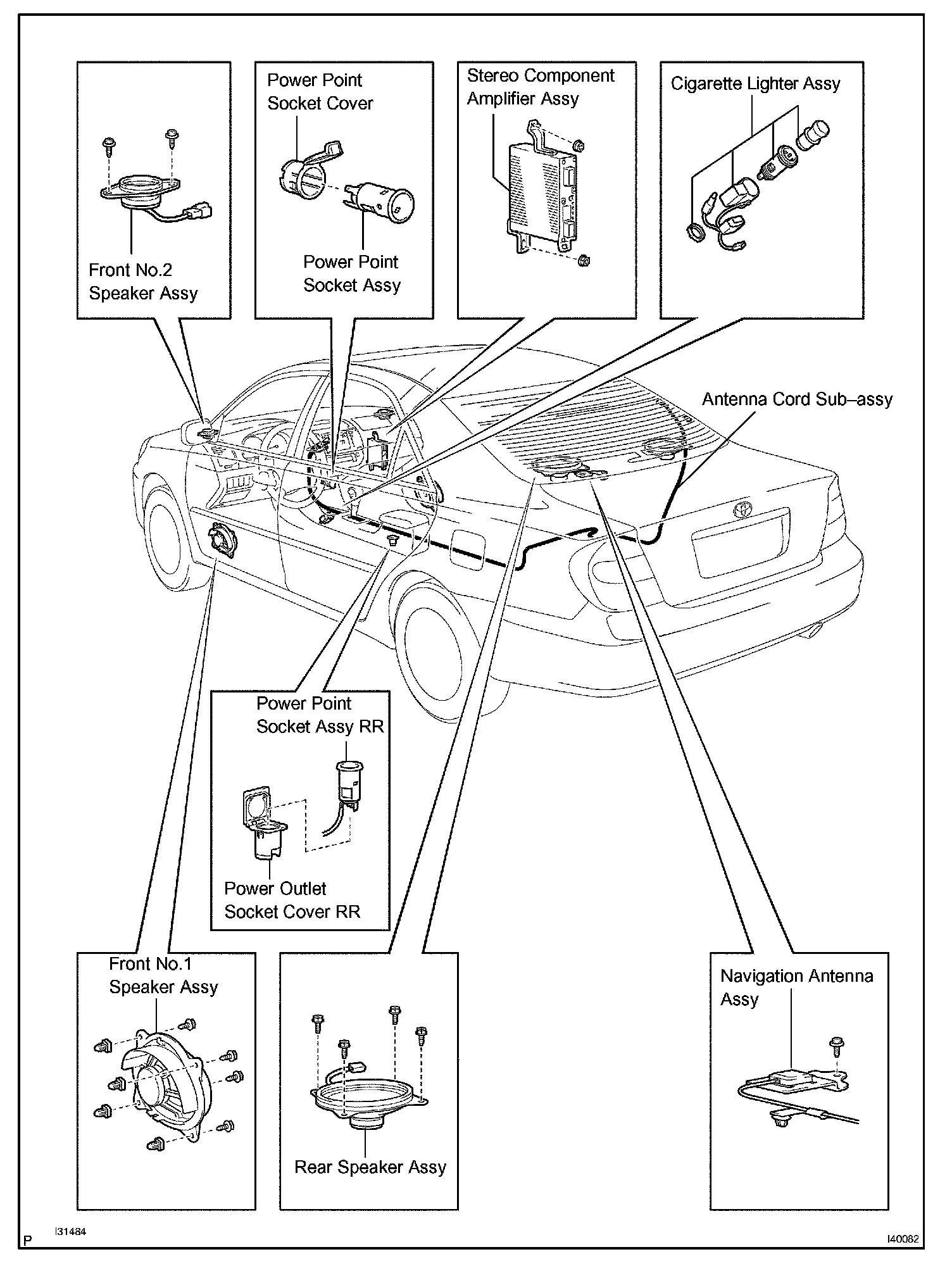
Audio & Visual System Location:
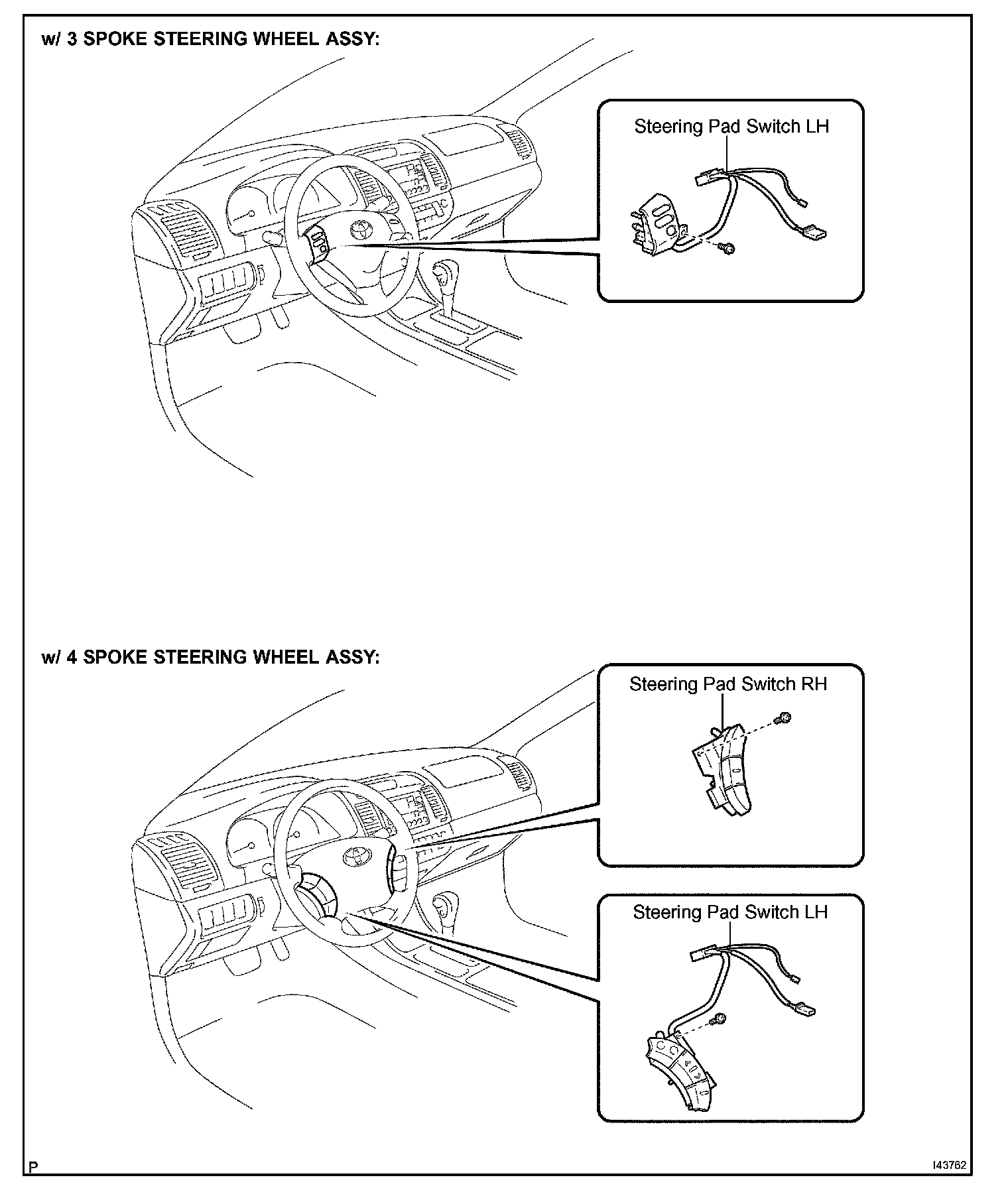
REPLACEMENT
HINT: Installation is in the reverse order of removal.
1. PRECAUTION
Observe Air Bag Systems; Service Precautions.
2. DISCONNECT BATTERY NEGATIVE TERMINAL
3. REMOVE STEERING WHEEL COVER LOWER NO.2
4. REMOVE STEERING WHEEL COVER LOWER NO.3
5. REMOVE HORN BUTTON ASSEMBLY
6. REMOVE STEERING PAD SWITCH LH (4 SPOKE STEERING WHEEL ASSEMBLY)
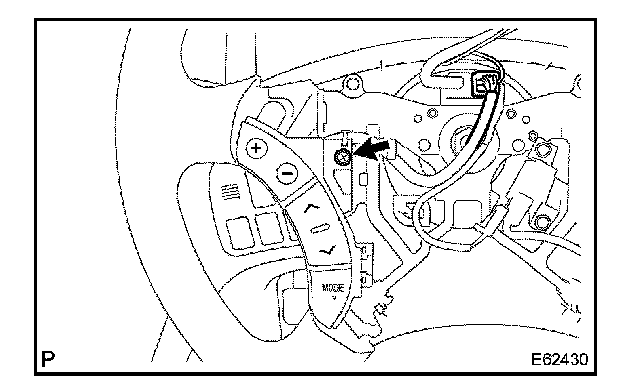
a. Disconnect the connector.
b. Disconnect the connector of cruise control main switch.
c. Remove the screw.
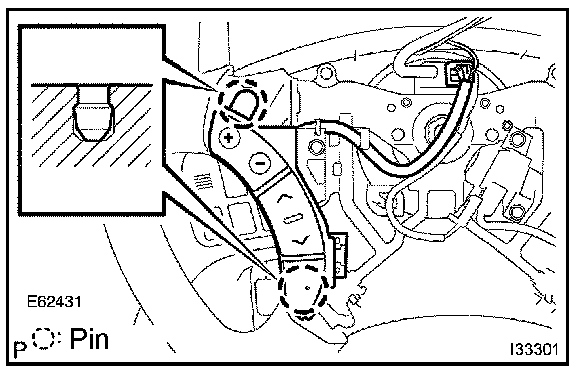
d. w/o steering pad switch RH:
Release the 2 pins and remove the steering pad switch LH.
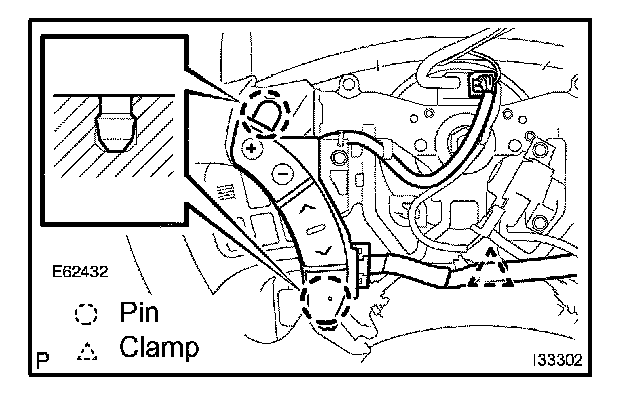
e. w/ steering pad switch RH:
Remove the clamp.
f. w/ steering pad switch RH:
Release the 2 pins and release the steering pad switch LH from steering wheel.
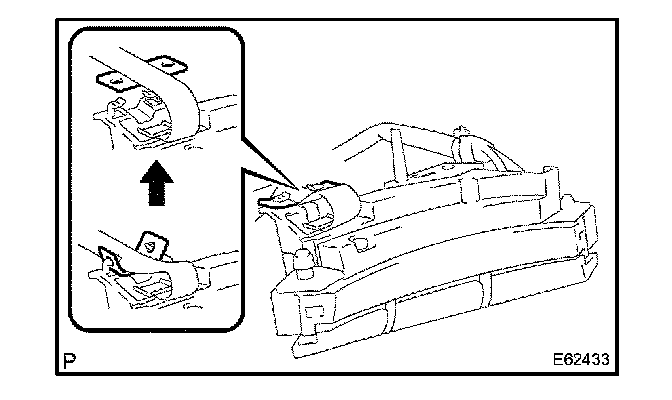
g. w/ steering pad switch RH:
Release the tab of steering pad switch cable from steering pad switch LH as shown in the illustration.
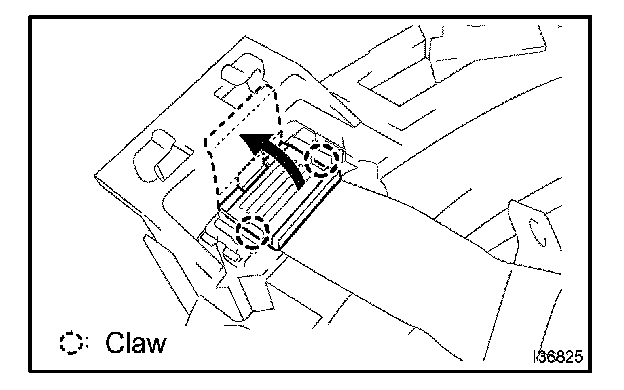
h. w/ steering pad switch RH:
Disengage the 2 claws as shown in the illustration and open the latch on the top of the connector.
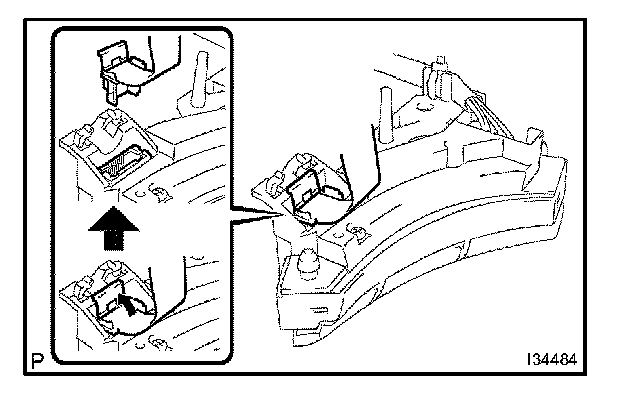
i. w/ steering pad switch RH:
Pull out the connector while pinching the latch with fingers and disconnect the steering pad switch cable from the steering pad switch LH.
7. REMOVE STEERING PAD SWITCH LH (3 SPOKE STEERING WHEEL ASSEMBLY)
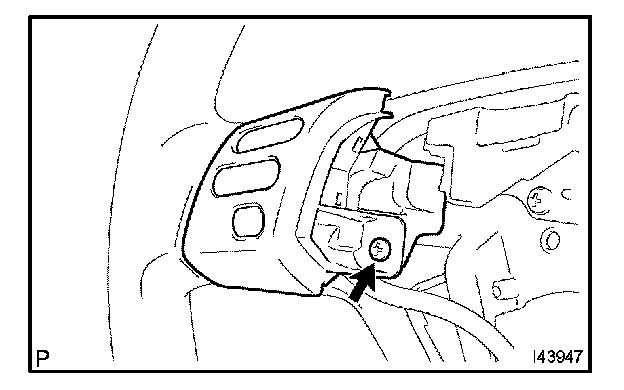
a. Disconnect the connector.
b. Remove the screw.
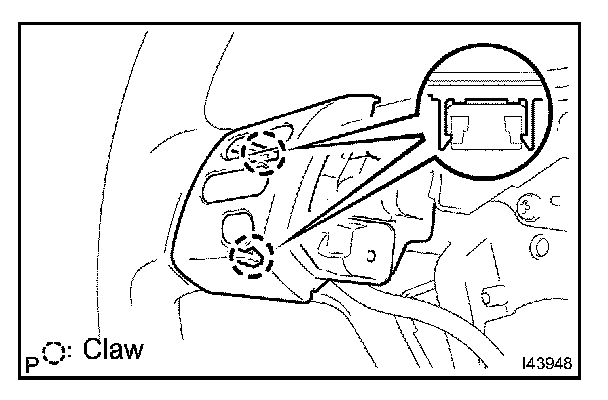
c. Disengage the 2 claws.
d. Remove the steering pad switch LH.
8. INSTALL HORN BUTTON ASSEMBLY
9. CONNECT BATTERY NEGATIVE TERMINAL
10. INSPECT SRS WARNING LIGHT