Cruise Control Cancel Conditions Diagnosis
CRUISE CONTROL CANCEL CONDITIONS DIAGNOSIS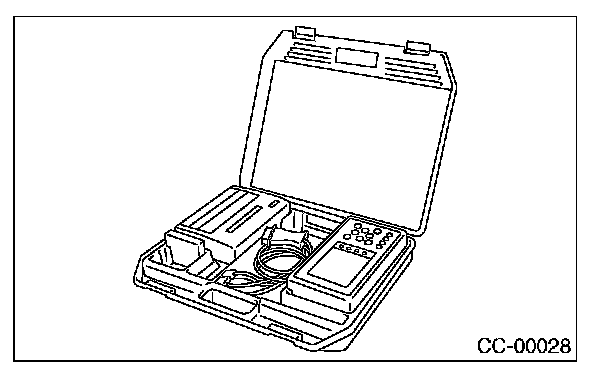
1. Prepare the Subaru Select Monitor kit.
2. Connect the diagnosis cable to Subaru Select Monitor.
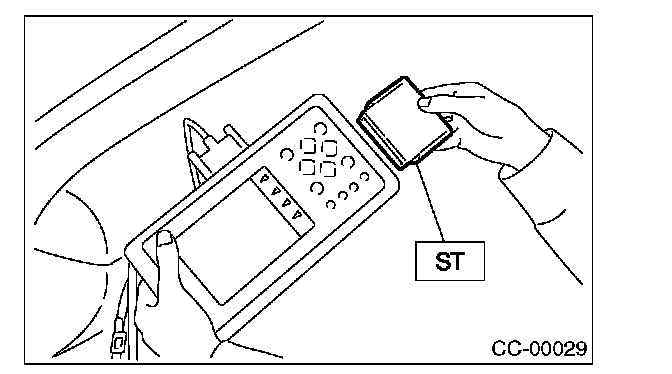
3. Insert the cartridge to Subaru Select Monitor.
4. Connect the Subaru Select Monitor to data link connector.
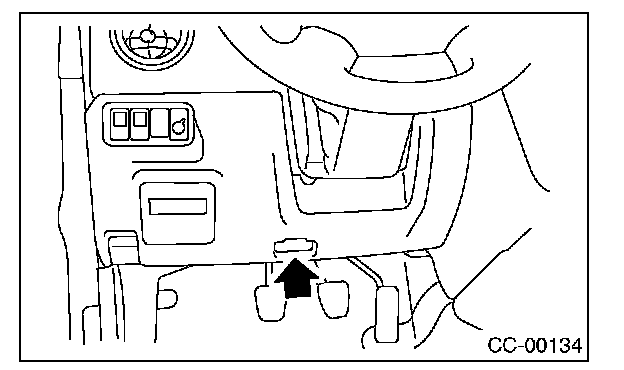
1. Data link connector is located in the lower portion of the instrument panel (on the driver's side).
2. Connect the diagnosis cable to data link connector.
5. Start the engine and turn the cruise control main switch to ON.
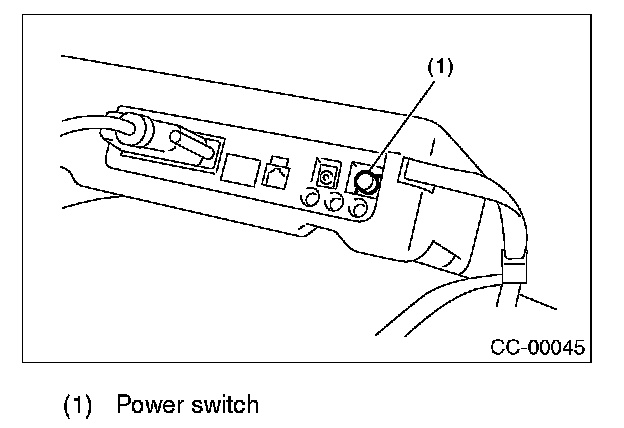
6. Turn the Subaru Select Monitor switch to ON.
7. On the [[Main Menu[[ display screen, select the {2. Each System Check} and press the [YES] key. On the system selection display screen, select the {Engine Control System} and press the [YES] key. Press the [YES] key after the information of engine type is displayed.
8. Drive vehicle at 40 km/h (25 MPH) or more and set the cruise control.
9. If the set cruise speed is canceled by itself (without any cancel operations), a DTC will appear on select monitor display when {Check Cancel Code} is selected on the engine malfunction diagnosis display screen, and pressing the [YES] key.
CAUTION:
- DTC will also appear when cruise cancel is effected by driver. Do not confuse them.
- Get an assistant in the vehicle for help of diagnosis while driving.
NOTE: DTC will be cleared by turning ignition switch or cruise control main switch to OFF.