ABS Sequence Control
ABS Sequence ControlOPERATION
1) Under the ABS sequence control, after VDCH/M solenoid valve is driven, operation of the VDCH/M can be checked by means of the brake tester or pressure gauge.
2) ABS sequence control can be started by the Subaru Select Monitor.
ABS SEQUENCE CONTROL WITH SUBARU SELECT MONITOR
1) Connect the Subaru Select Monitor to data link connector under driver's seat instrument panel lower cover.
2) Turn the ignition switch to ON.
3) Turn the Subaru Select Monitor switch to ON.
4) Put the Subaru Select Monitor to "BRAKE CONTROL" mode.
5) When the "Function check sequence" is selected, 'ABS sequence control' will start.
6) When the message "Press Brake Pedal with braking force of 100 to 150 kgf" is displayed, perform the followings.
(1) When using the brake tester, depress the brake pedal with braking force of 1,000 N (102 kgf, 224 lbs.).
(2) When using the pressure gauge, depress the brake pedal so as to make the pressure gauge indicate 3,500 kPa (36 kg/cm2, 508 psi).
7) When the message "Press YES" is displayed, press the <
8) Operation points will be displayed on the Subaru Select Monitor.
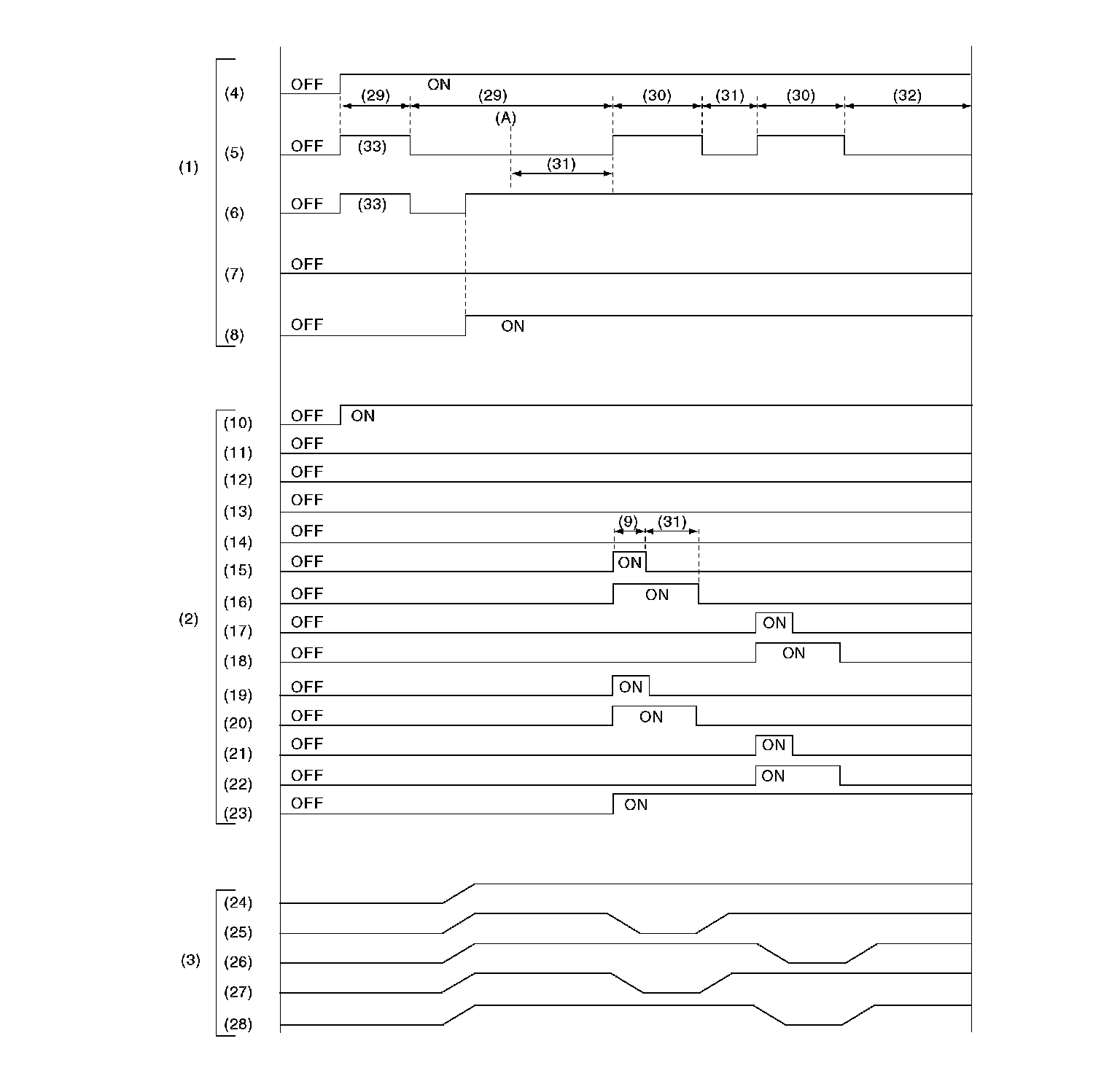
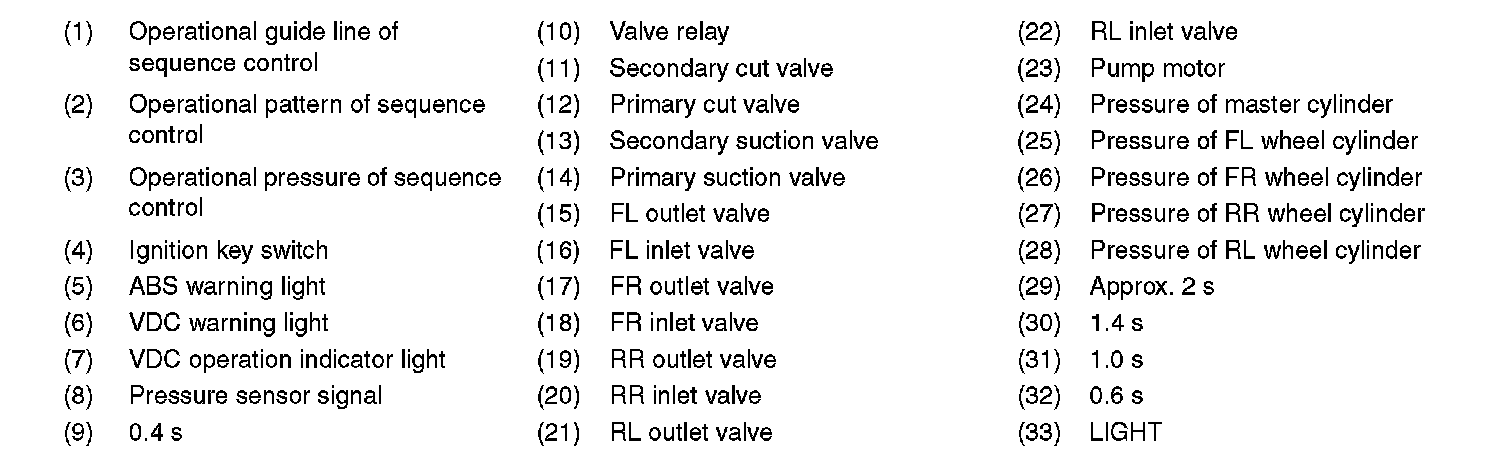
CONDITIONS FOR ABS SEQUENCE CONTROL
NOTE: Sequence control operation starts at point (A).
SPECIFICATION
CONDITIONS FOR COMPLETION OF ABS SEQUENCE CONTROL
When the following conditions develop, ABS sequence control stops and ABS operation is returned to normal control mode.
1) When the speed of at least one wheel reaches 10 km/h (6 MPH).
2) When the brake pedal is released during sequence control and braking lamp switch is set to off.
3) When malfunction is detected.