Service Procedure
Step A: Confirm This Bulletin AppliesCheck The Current ECM Part Number

1. With CONSULT-II "ON", print the Freeze Frame data as shown.
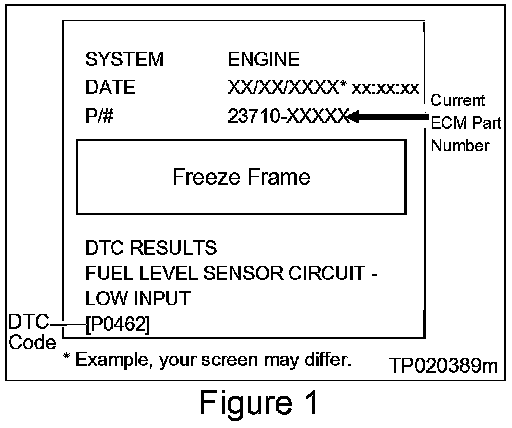
2. Attach this printout to the Repair Order. Figure 1 is an example of the F.F. Data printout
^ The Freeze Frame data that you've printed contains the ECM Part Number (P/N).
^ You will use the ECM P/N to see if this bulletin applies.
Compare Your Current ECM Part Number To Chart A
3. Using the ECM PIN printout from Step 1 (Figure 1):
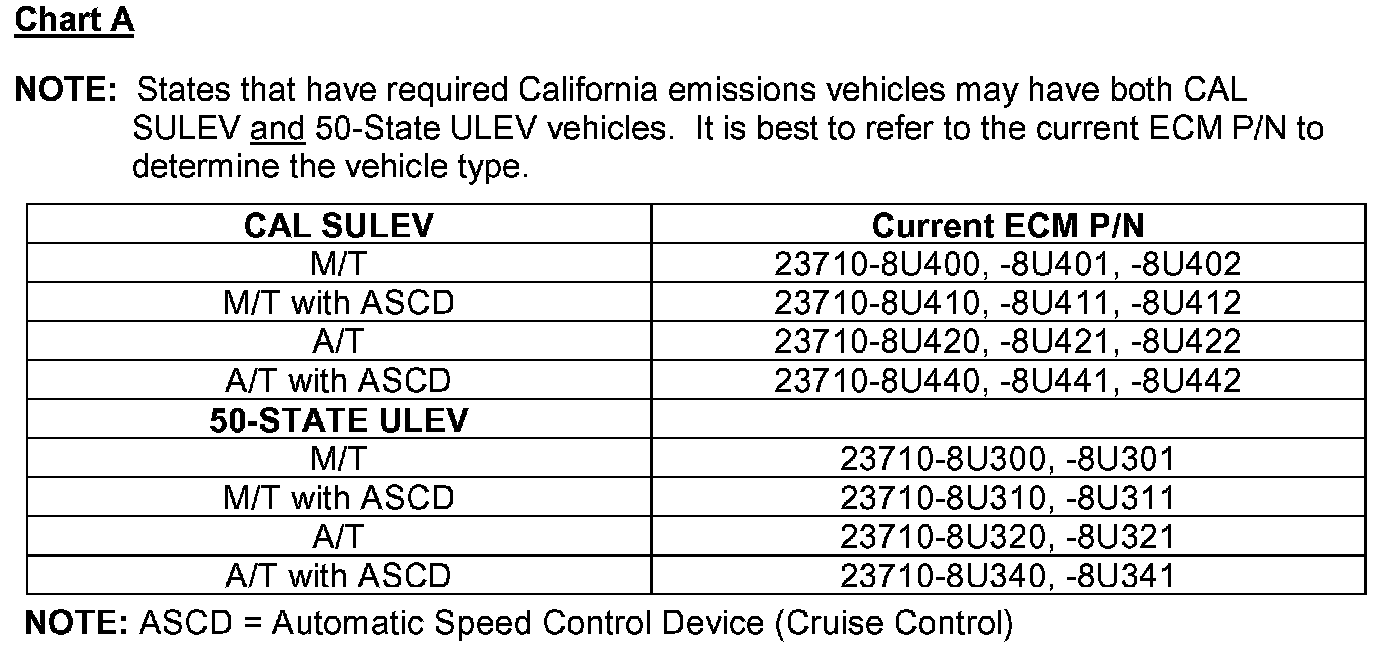
^ Compare your vehicle's ECM P/N to those shown under Current ECM P/N in Chart A, shown.
A. If the ECM P/N in the vehicle you're working on matches one of those listed under Current ECM P/N" in the above Chart:
^ Perform ECM Reprogramming.
B. If the ECM P/N in the vehicle does not match one of those listed under "Current ECM P/N" in the above Chart:
^ This bulletin does not apply. Use the appropriate Electronic Service Manual
Step B: Reprogramming The ECM
Vehicle ECU Reprogramming Overview
^ There are four basic steps.
Step 1: Download reprogramming data (transfer it) from ASIST into CONSULT-II.
Step 2: "Preparation" steps before reprogramming.
Step 3: Reprogram the ECM.
Step 4: ECM reprogramming "Wrap-up".
^ If you are familiar with ECM reprogramming:
^ Review Step one though Step 4 shown in step one next.
^ Use them as a "Quick Reference" for ECM reprogramming.
Step One: Download Reprogramming Data (Transfer) Data From ASIST Into CONSULT-II
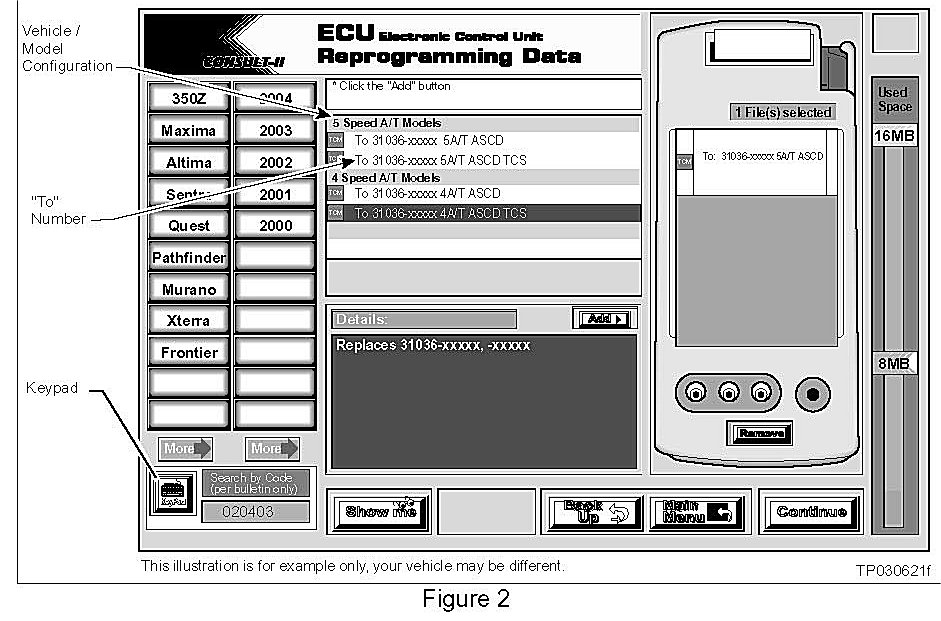
1. Select vehicle model and model year (Example: Sentra, 2003).
2. Select the correct Reprogramming Data:
a. Locate the specific "Vehicle Configuration" (Example: M/T with ASCD).
NOTE:
Vehicle Configuration may include items such as engine type, transmission type, and vehicle options such as ASCD, TCS, ABS, etc.
b. Select (click on) the "To" number. (Write the "To" number on the repair order.)
NOTE:
The "To" number will read: 23710-XXXXX.
3. Click on the "Add" button.
^ This will add the selected data to the "File(s) Selected" list.
4. Click on "Continue" and follow the on-screen directions to perform "data transfer" (download) from ASIST into CONSULT-II.
Step Two: Preparation Steps Before Reprogramming
1. Connect a battery charger to the vehicle's battery.
^ Set the charger to a low charge rate (trickle charge).
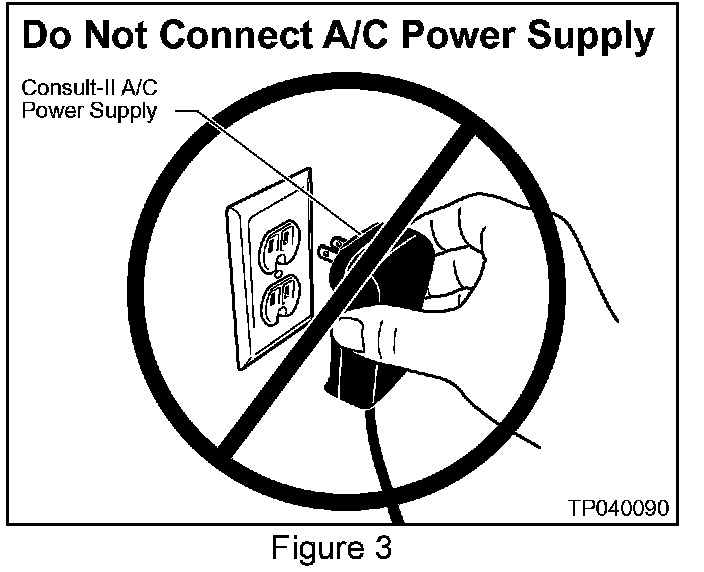
CAUTION:
For number 2 below, and number 3, DO NOT connect the CONSULT-II AC power supply.
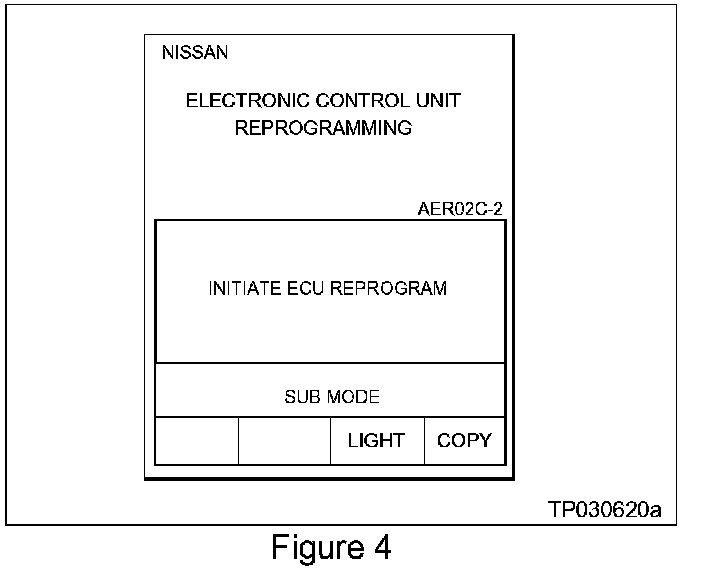
2. Press [SUB MODE] (see Figure 4) then:
a. From the listed items, find and select BATTERY [CHARGER].
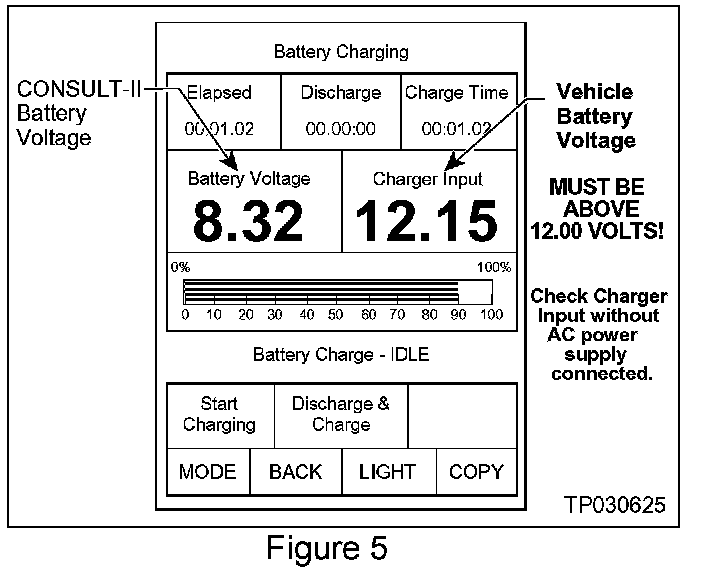
3. Check the CONSULT-II's "Charger Input" reading (see Figure 5).
NOTE:
^ "Battery Voltage" is the voltage level of CONSULT-II's battery.
^ "Charger Input" is the level of the vehicle's battery. (It must be above 12 volts.)
Step Three: Reprogram The ECM
Step Four: ECM Reprogramming "Wrap-up"
1. Turn the ignition switch "OFF" and CONSULT-II "OFF".
2. Wait more than 10 seconds, then:
a. Turn the ignition switch "ON" for 2 seconds, then
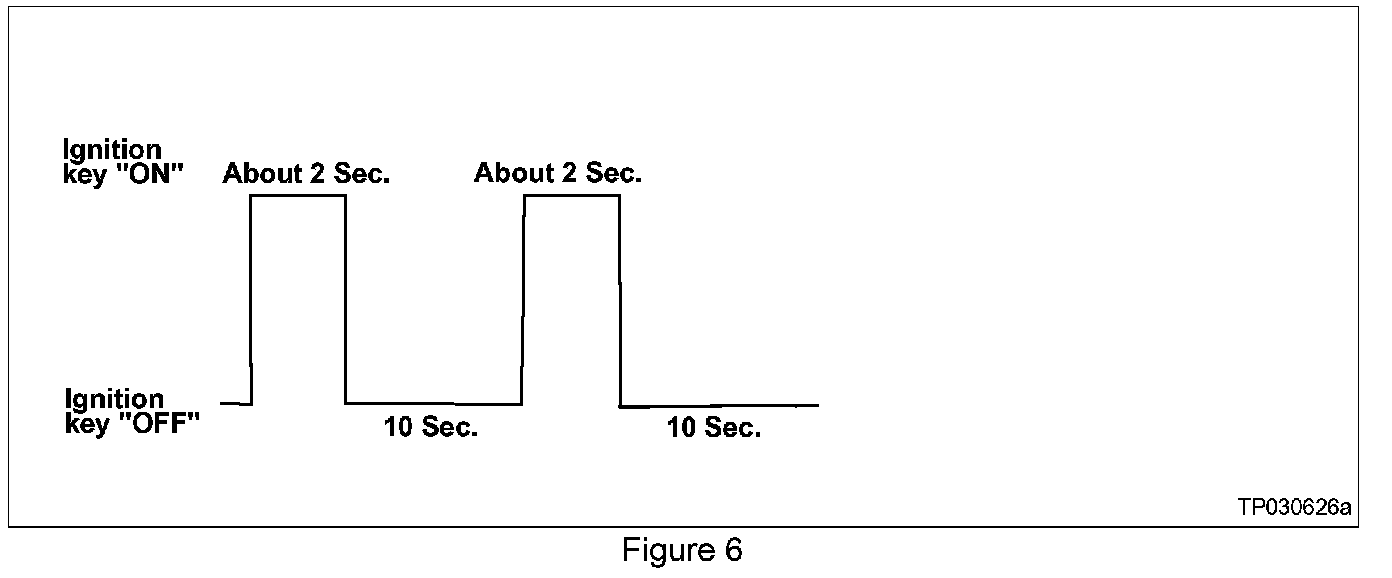
b. Turn the ignition switch "OFF" again for 10 seconds (see Figure 6). This will reset ECM "self learned" Data.
3. Start the engine and check the idle speed.
^ If idle speed is too low, perform "Idle Air Volume Learning" (IAVL). See the appropriate ESM for this procedure.
NOTE:
If the engine will not idle, hold the engine RPM at about 2000, then slowly bring it down to an idle. IAVL can now be performed.
4. Confirm the engine is operating normally.
5. Make sure the MIL is OFF.
^ If it's still ON, use CONSULT-II with the Diagnostic (red/white) Card to erase any DTCs that may have stored during the reprogramming procedure.