Engine Controls - MIL ON/DTC P0116 Set In ECM
Classification: EC10-010AReference: NTB10-067A
Date: June 25, 2010
2008 PATHFINDER, XTERRA, AND FRONTIER; MIL 'ON' WITH DTC P0116 STORED
This bulletin has been amended. Notes were added to Step 3. No other changes have been made. Discard all previous copies.
APPLIED VEHICLES:
2008 Pathfinder (R51) with VQ40DE engine
2008 Xterra (N50)
2008 Frontier (D40) with VQ40DE engine
IF YOU CONFIRM:
DTC P0116 (Engine Coolant Temperature Sensor Circuit Range / Performance) is stored in the ECM and there are no other vehicle drivability symptoms.
ACTION:
Confirm this bulletin applies.
^ Check and compare your Current ECM Part Number to Table A.
> If that part number does not match one in Table A, this bulletin does not apply. Go back to ASIST for further diagnostic and repair information.
If this bulletin applies, reprogram the ECM.
IMPORTANT:
The purpose of ACTION (above) is to give you a quick idea of the work you will be performing. You MUST closely follow the entire Service Procedure as it contains information that is essential to successfully completing this repair.
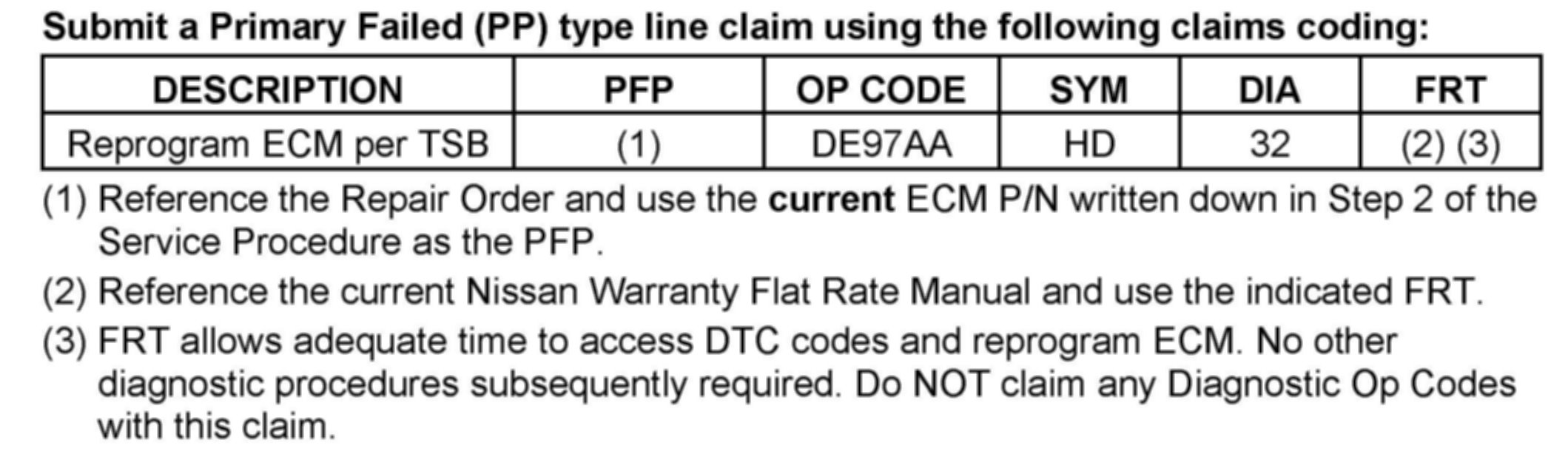
CLAIMS INFORMATION
SERVICE PROCEDURE
1. Connect C-III to the vehicle to begin the reprogramming procedure.
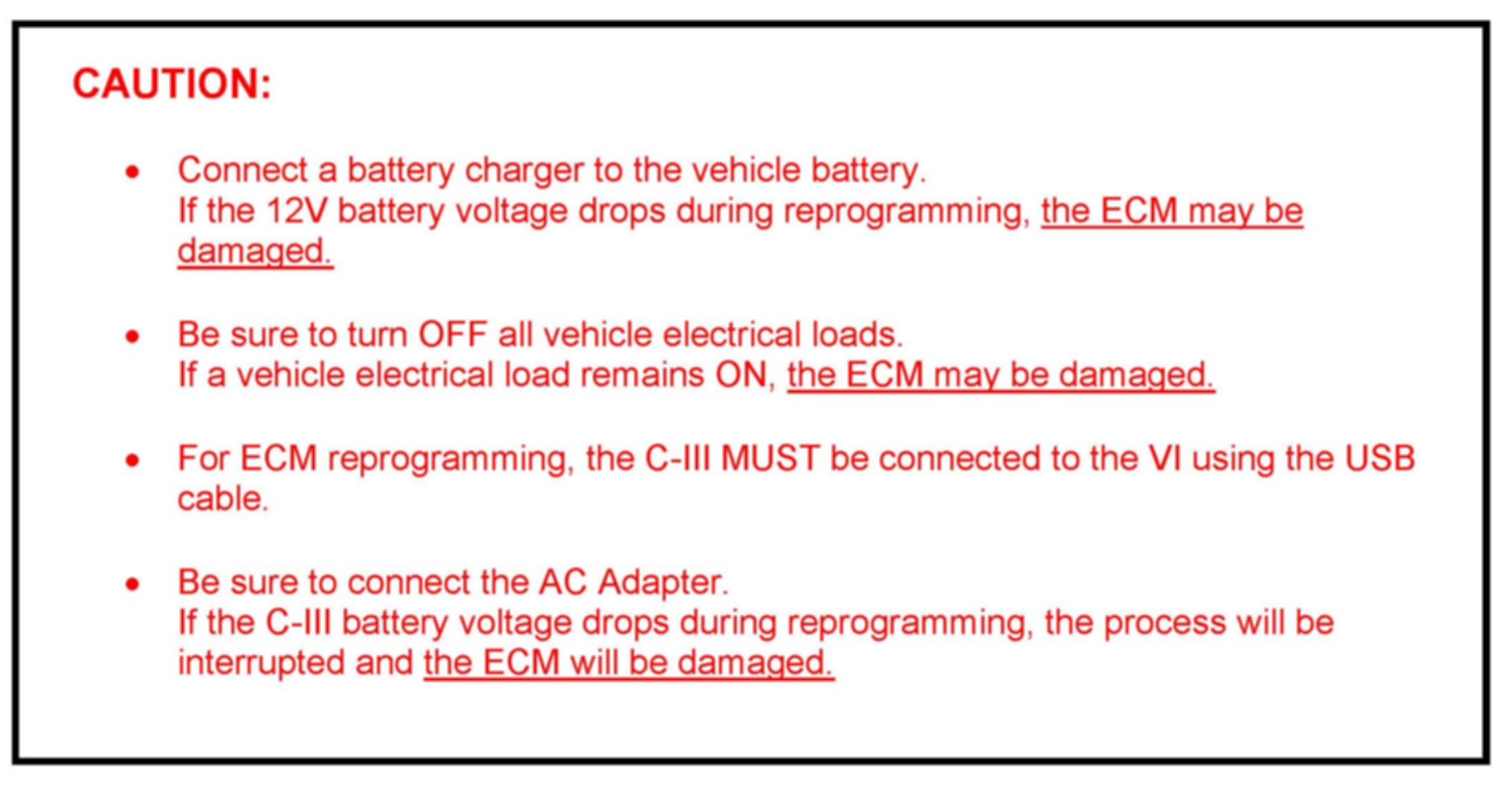
CAUTION
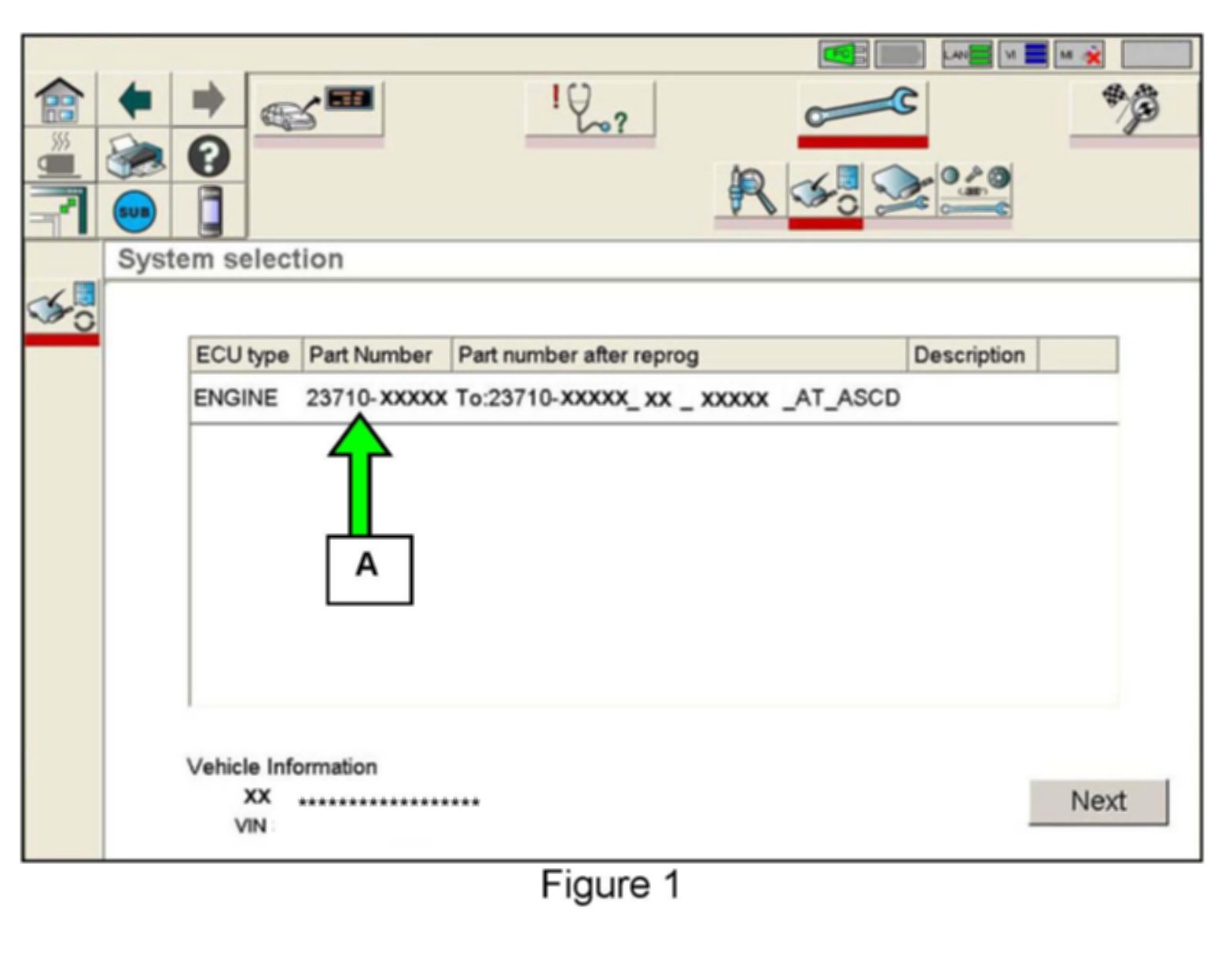
2. When you get to the ECM Reprogramming screen shown in Figure 1, confirm this bulletin applies as follows:
A. On your C-III screen, look at the Part Number column (see Figure 1 example):
^ If this column is blank (no part number listed), this bulletin does not apply. Close C-III and refer to ASIST for further diagnostic information.
^ If a Part Number is listed, write it on the Repair Order.
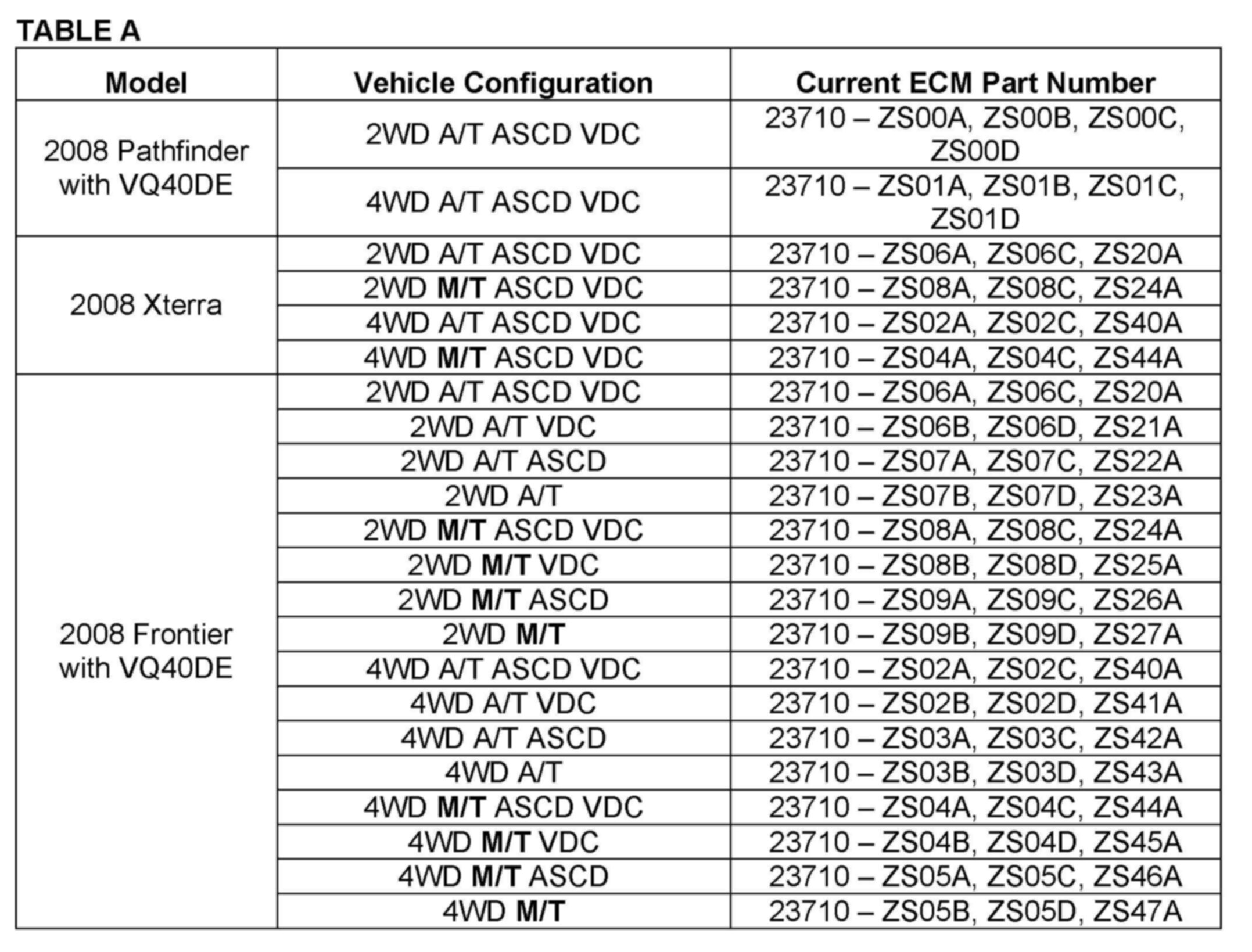
B. Compare the Part Number you wrote down to the number in the Current ECM Part Number in Table A above.
^ If there is a match, this bulletin applies. Continue with the reprogramming procedure.
NOTE:
If there are two lines (two reprogramming options) on your C-III screen, use the one that does not have the message "Caution! Use ONLY with NTBXX-XXX".
^ If there is not a match, this bulletin does not apply. Close C-III and refer to ASIST for further diagnostic information.
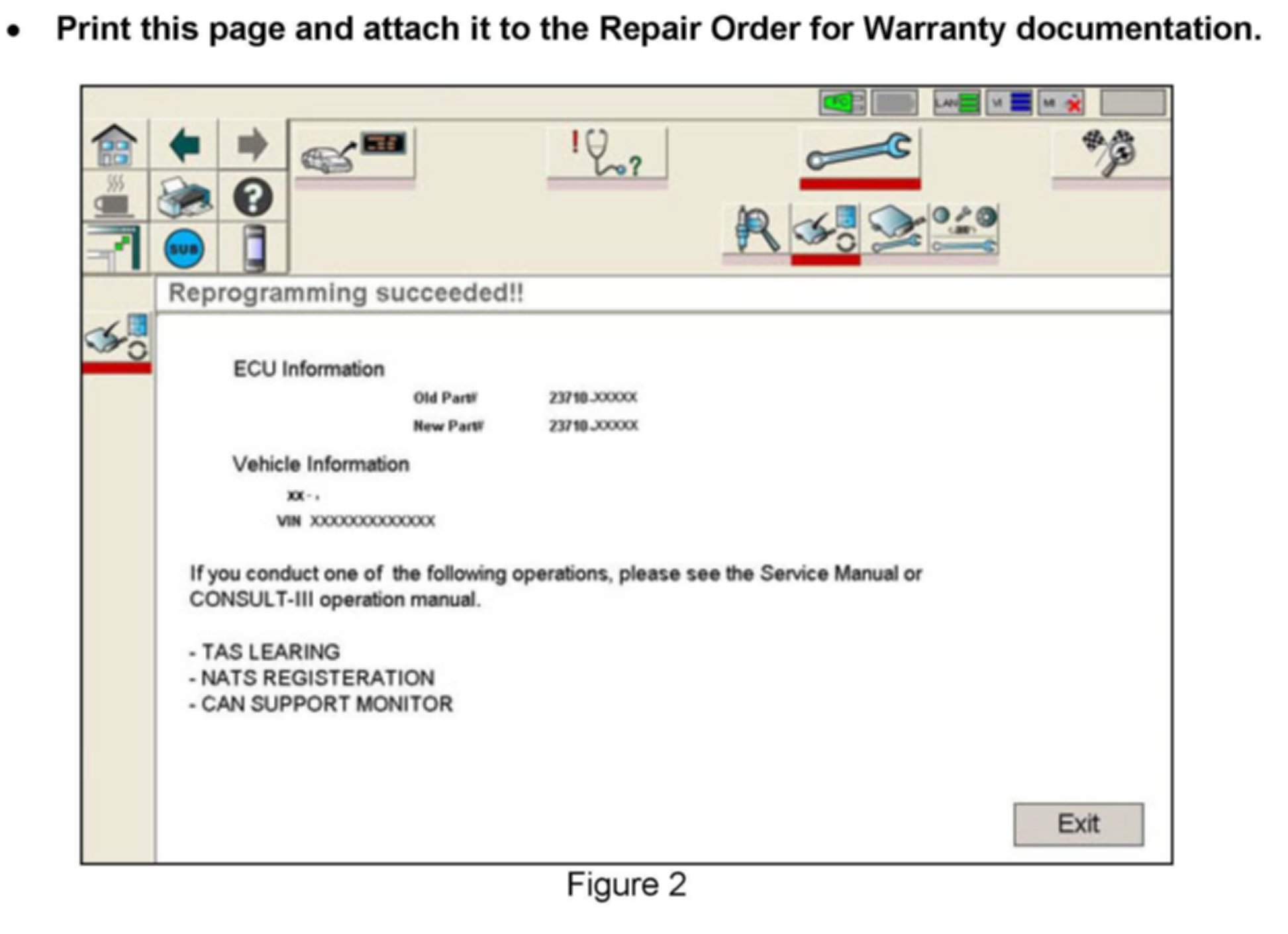
3. If this bulletin applies and you have performed ECM reprogramming, the screen in Figure 2 (above) appears when reprogramming is complete.
4. Make sure to erase DTCs from all Systems.
NOTE:
During the reprogramming, DTCs will set in several systems. DTCs must be erased from all systems.
5. Test drive the vehicle and make sure it operates correctly and the Check Engine light (or MIL) is OFF.
^ If the MIL comes ON, go back to ASIST for further diagnostic information. Refer to the applicable Electronic Service Manual as needed.
^ Diagnosis and repairs beyond the ECM reprogramming are not covered by this bulletin.