Flowchart 3, Damaged D Sensor

SYMPTOMS
STEP 1
1. Deactivate the audio antitheft system, if installed.
2. Disconnect the negative battery cable.
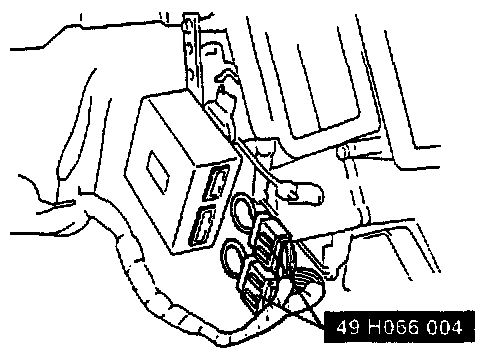
3. Disconnect the diagnostic module connectors and con nect the SST to it as shown in the figure.
STEP 2
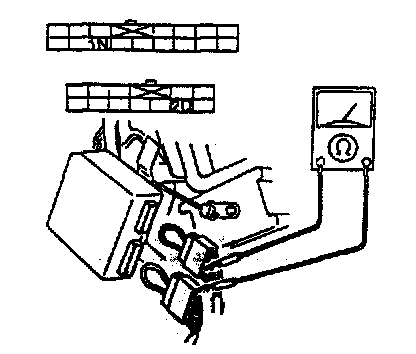
Check for continuity between terminals 1 N (B/Y) and 2D (B/O) of the diagnostic module connector.

ACTION
STEP 3
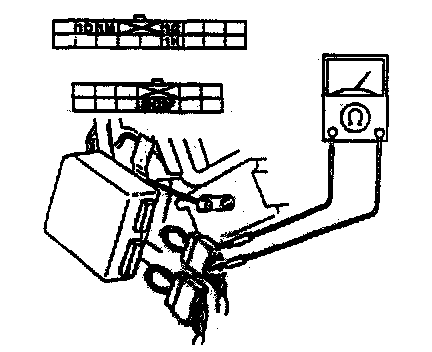
Measure the resistance between the terminals of the diagnostic module connector.
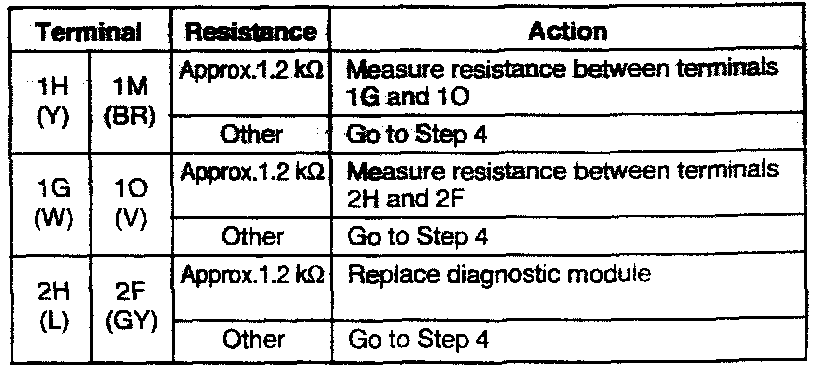
ACTION
STEP 4
1. Disconnect the D-sensor connectors (center, RH, and LH).
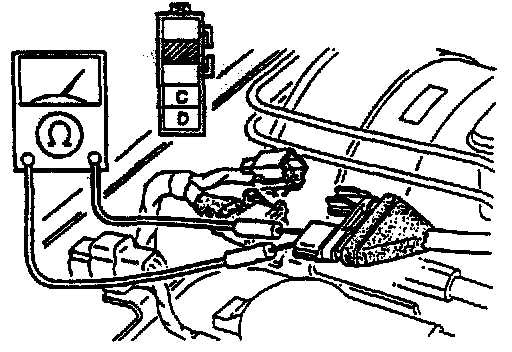
2. Measure the resistance between terminals C and D of the D-sensor.

ACTION
STEP 5
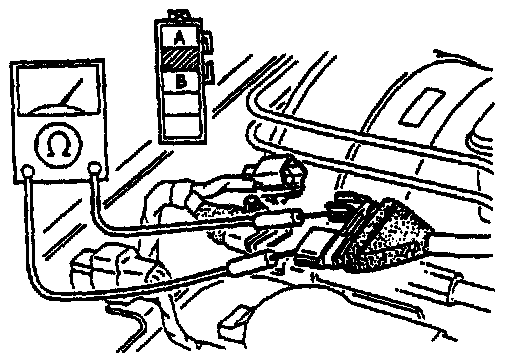
Check for continuity between terminals A and B of the O-sensor.
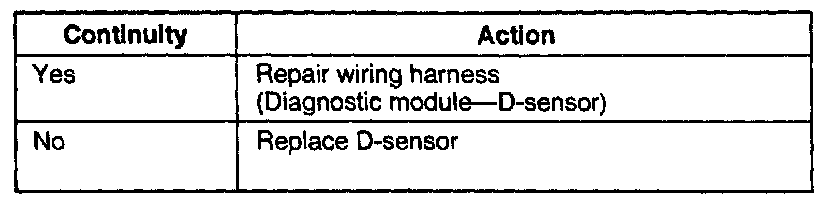
ACTION