Brake Pedal Assy: Adjustments
Brake pedal height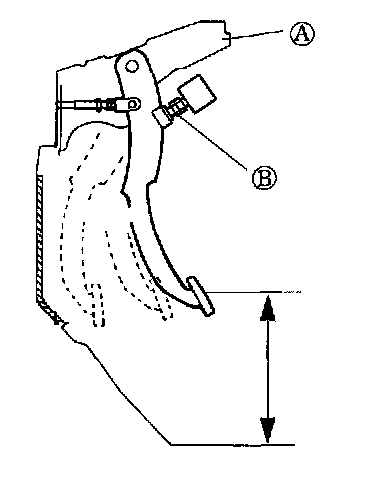
Verify that the distance from the center on the pedal pad to the dash lower panel mat is as specified
Specification: 6.69 - 6.93 inch (170 - 176 mm)
ADJUSTMENT
1. Disconnect the stoplight switch connector.
2. Loosen the locknut (H) and turn the switch (A) until it does not contact the pedal
3. Loosen the locknut (D) and turn the rod (C) to adjust the height of the brake pedal.
4. Tighten the stoplight switch until it contacts the pedal then turn it an additional 1/2 turn. Tighten the locknuts (B) and (D).
Tightening torque: 23.5 - 34.31 Nm (2.4 - 3.5 kg-m, 17.4 - 25.3 ft. lbs.)
5. Verify the operation of the stoplights.
Pedal play
INSPECTION
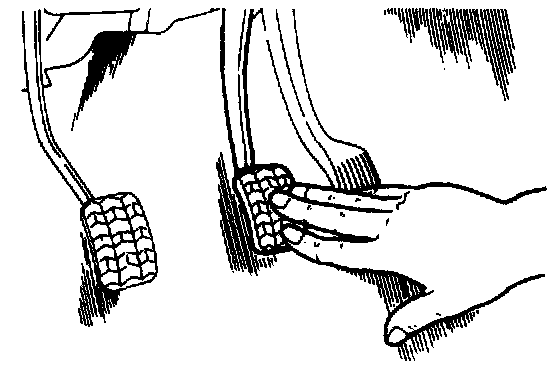
1. Depress the pedal a few times to eliminate the vacuum in the system.
2. Gently depress the pedal by hand and check the free play (until resistance is felt)
Free play: 0.16 - 0.28 inch (4 - 7 mm)
ADJUSTMENT
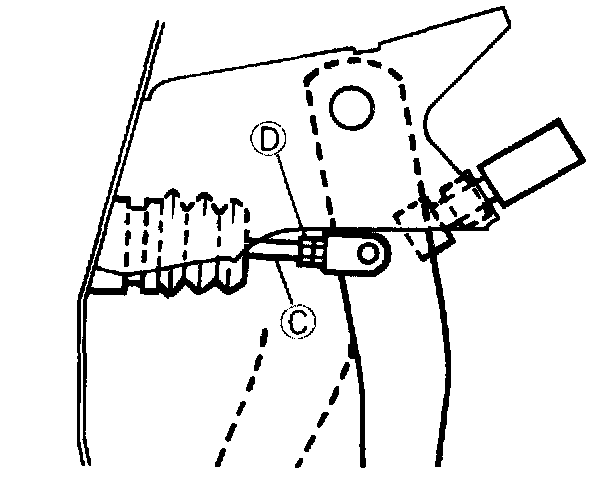
1. Loosen the locknut (D) and turn the rod (C) to adjust the free play.
2. Verify the pedal height and the stoplight operation.
3. Tighten a lock nut By.
Tightening torque: 23.5 - 34.3 Nm (2.4 - 3.5 kg-m, 17.4 - 25.3 ft. lbs.)
4. Check the height of pedal and the lightening of stop lamp after the adjustment.
Pedal-To-floor clearance
INSPECTION
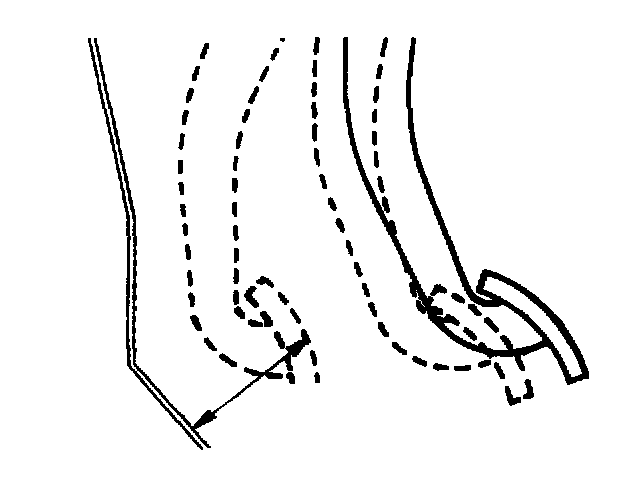
Verify that the distance from the floor panel to the center of the pedal pad is as specified when the pedal is depressed with a force of 490.33 N (50 kg) MIN.
Pedal-to-floor clearance: 2.76 in (70 mm)
If the distance is less than specified, check for the following problems:
1. Air in brake system
2. Malfunction of automatic adjuster (rear drum brakes)
3. Worn shoes or pads