Steering Angle Sensor: Testing and Inspection
Adjustment of Steering Angle Sensor Neutral Position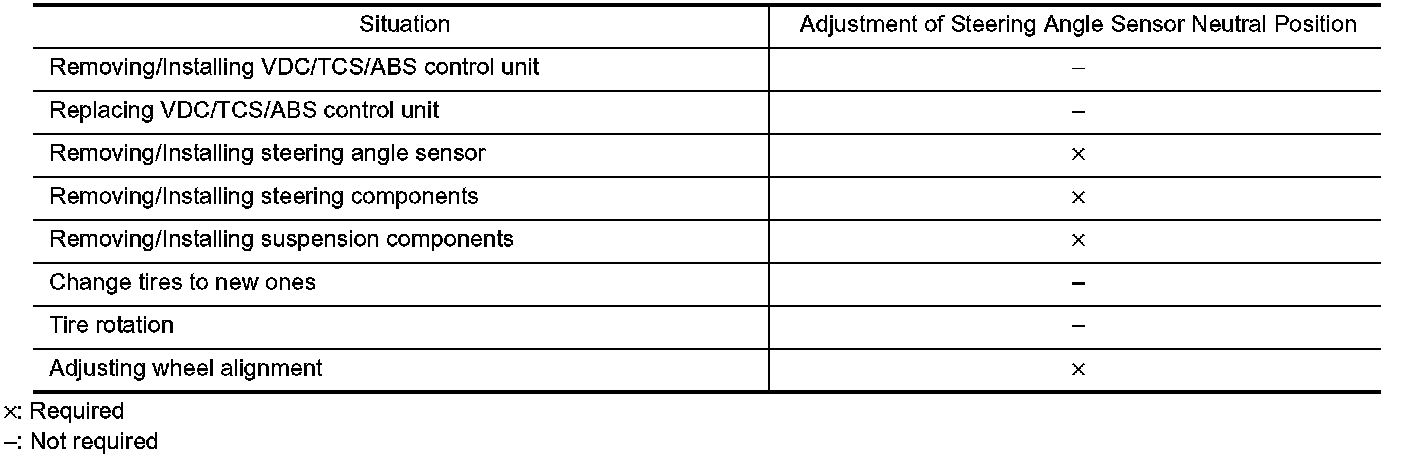
CAUTION: To adjust neutral position of steering angle sensor, make sure to use CONSULT-II. (Adjustment cannot be done without CONSULT-II.)
1. Stop vehicle with front wheels in straight-ahead position.
2. Connect CONSULT-II and CONSULT-II converter to data link connector on vehicle.
3. Turn ignition switch ON (do not start engine) and touch "ABS", "WORK SUPPORT" and "ST ANGLE SENSOR ADJUSTMENT" on CONSULT-II screen in this order.
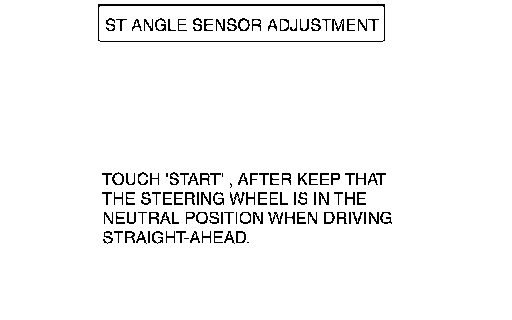
4. Touch "START".
CAUTION: Do not touch steering wheel while adjusting steering angle sensor.
5. After approximately 10 seconds, touch "END". (After approximately 60 seconds, it ends automatically.)
6. Turn ignition switch OFF, then turn it ON again.
CAUTION: Be sure to perform above operation.
7. Run vehicle with front wheels in straight-ahead position, then stop.
8. Select "DATA MONITOR", "ECU INPUT SIGNALS", and "STR ANGLE SIG" on CONSULT-II screen. Then make sure that "STR ANGLE SIG" is within 0 ±2.5°. If value is more than specification, repeat steps 1 to 7.
9. Erase memory of VDC/TCS/ABS control unit and ECM. Refer to "Erase memory", "TROUBLE DIAGNOSIS".
10. Turn ignition switch OFF.