With Consult-II Scan Tool
Consult Inspection Procedure:
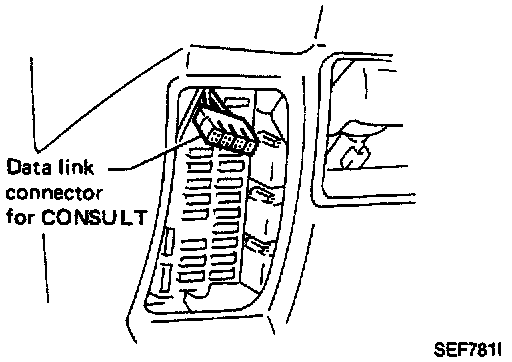
1. Turn ignition switch "OFF".
2. Connect "CONSULT" to diagnostic connector. (Diagnostic connector is located in left dash side panel.)
Consult Inspection Procedure:
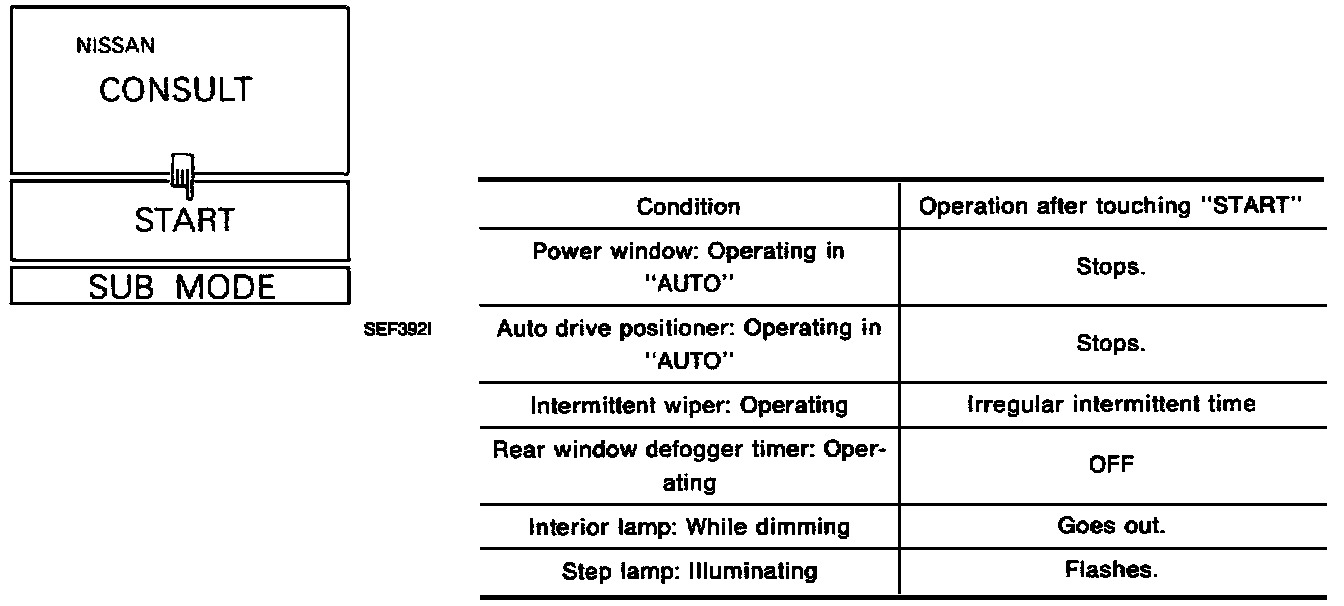
3. Turn ignition switch "ON".
4. Touch "START".
NOTE: If electrical loads are operating under the conditions indicated in the following table, touching "START" will change their operational modes until "SELECT SYSTEM" is shown on the display.
Consult Inspection Procedure:
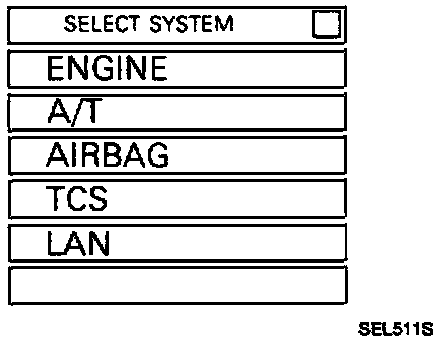
5. Touch "LAN".
Consult Inspection Procedure:
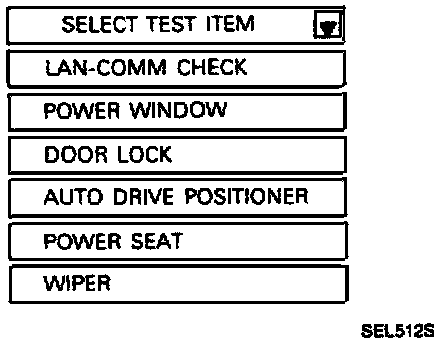
6. Perform each diagnostic item according to the function chart.
Consult:
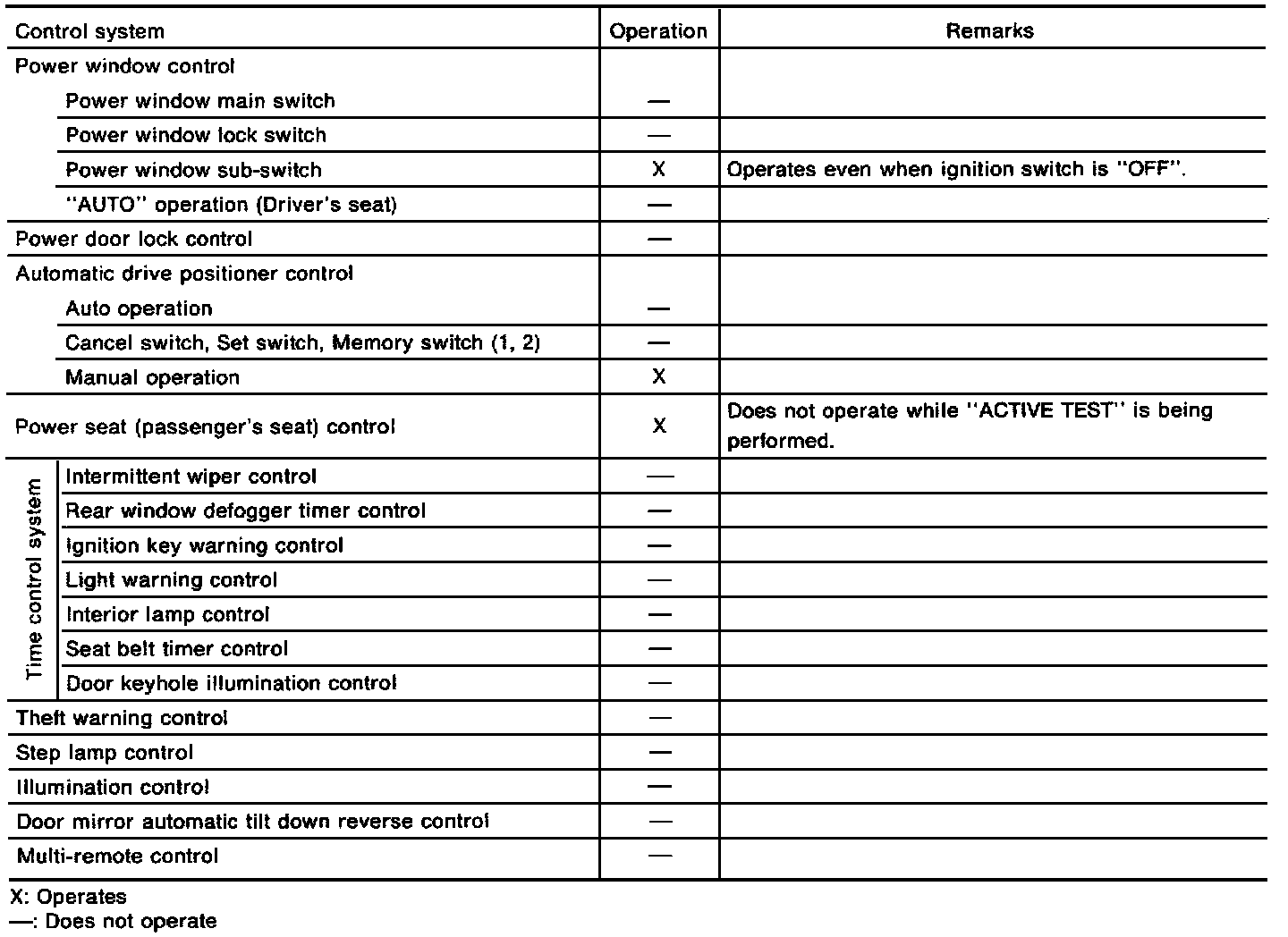
NOTE: While diagnoses are being performed using CONSULT, control system input-output signal operations are as indicated in the following table.