With Consult-II Scan Tool
Consult Inspection Procedure (Part 1 Of 2):
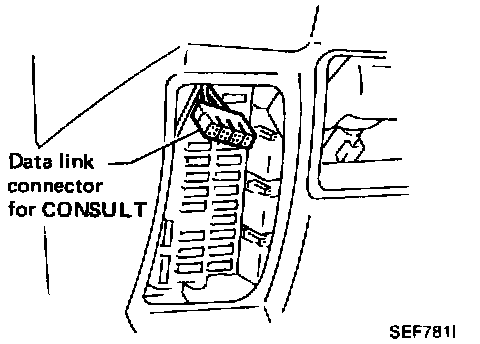
1. Turn ignition switch "OFF".
2. Connect "CONSULT" to diagnostic connector. (Diagnostic connector is located in left dash side panel.)
Consult Inspection Procedure (Part 1 Of 2):
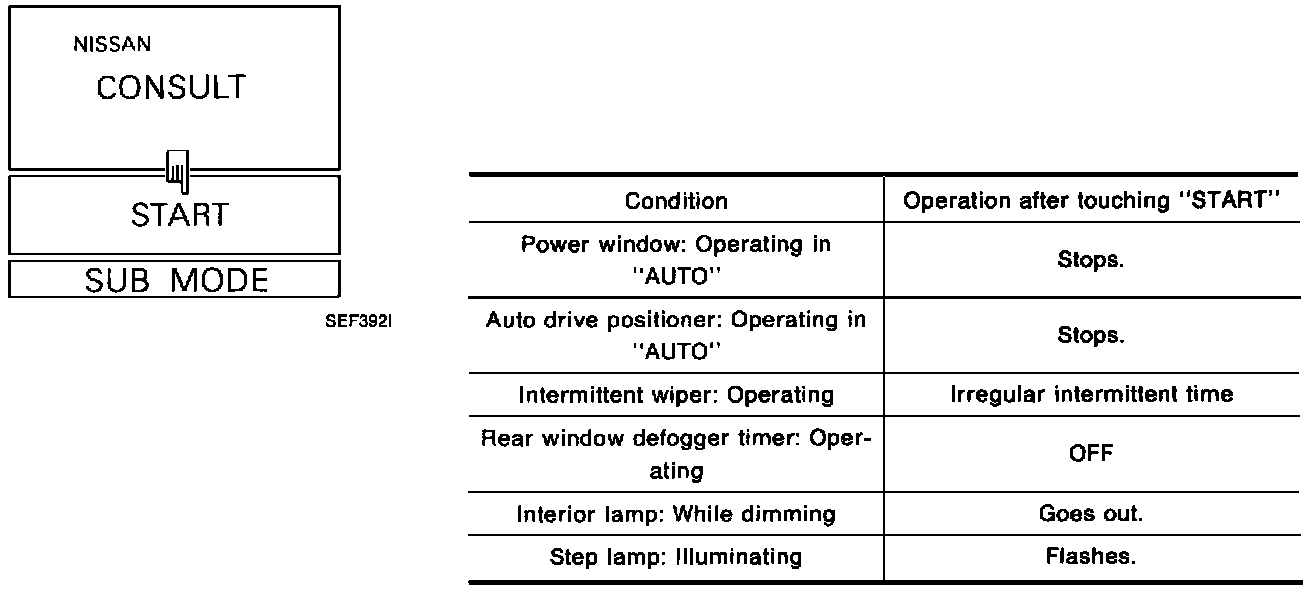
3. Turn ignition switch "ON".
4. Touch "START".
NOTE: If electrical loads are operating under the conditions indicated in the following table, touching "START" will change their operational modes until "SELECT SYSTEM" is shown on the display.
Consult Inspection Procedure (Part 1 Of 2):
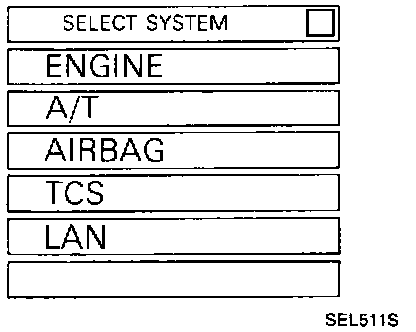
5. Touch "LAN".
Consult Inspection Procedure (Part 1 Of 2):
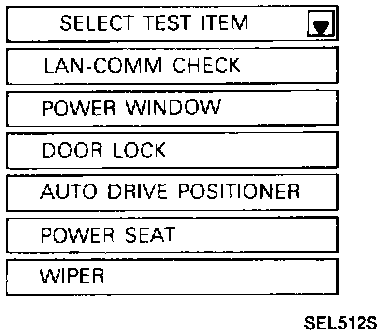
6. Perform each diagnostic item according to the function chart as follows:
Consult Inspection Procedure (Part 2 Of 2):
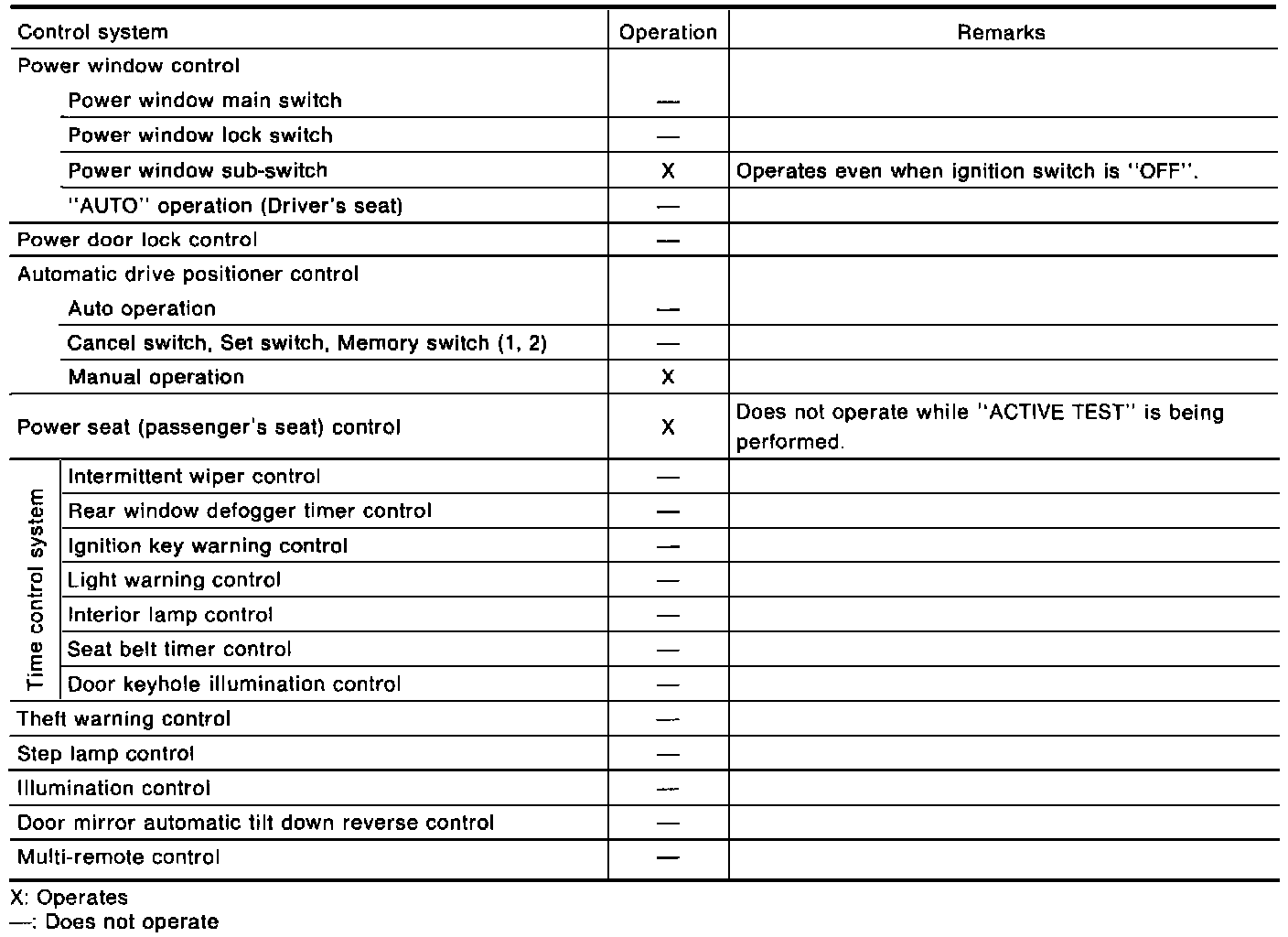
NOTE: While diagnoses are being performed using CONSULT, control system input-output signal operations are as indicated in the following table.