How to Update the BCM Module
How to Update the BCM ModuleNOTE: To ensure the latest programs are installed, do a BCM module update whenever the BCM module is substituted or replaced. Select IMA motor and/or IMA battery in the HIM BCM module update menu. You can not update an BCM module with the program it already has. It will only accept a new program. Before you update the BCM module, make sure the vehicle's battery is fully charged. To prevent BCM module damage, do not operate anything electrical (audio system, brakes, A/C, power windows, door locks, etc.) during the update. If you need to diagnose the Honda interface module (HIM) because the HIM's red (# 3) light came on or was flashing during the update, leave the ignition switch in the ON (II) position when you disconnect the HIM from the data link connector (DLC). This will prevent BCM module damage.
1. Turn the ignition switch ON (II). Do not start the engine.
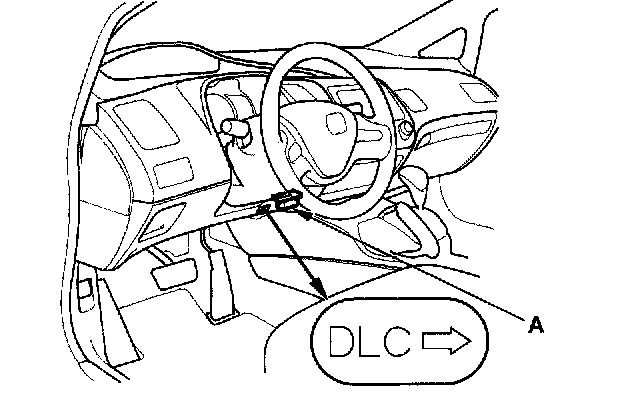
2. Connect the HDS or the Honda Interface Module (HIM) to the data link connector (DLC) (A) located under the driver's side of dashboard.
3. Do the BCM module update procedure as described on the HIM label and in the BCM module update system.
4. Do the PCM idle learn procedure.