- Powertrain/On-Board Diagnostic System Check
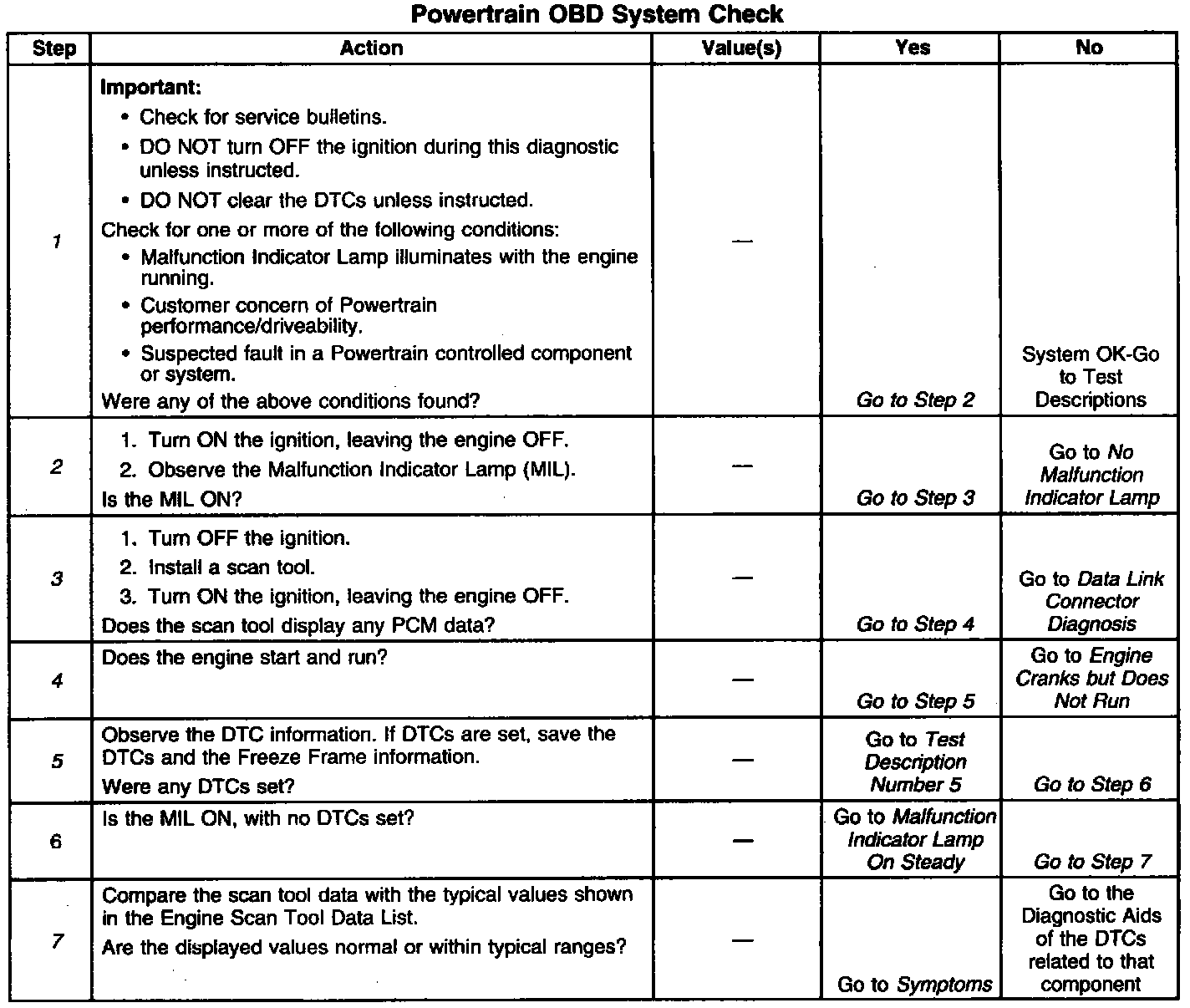
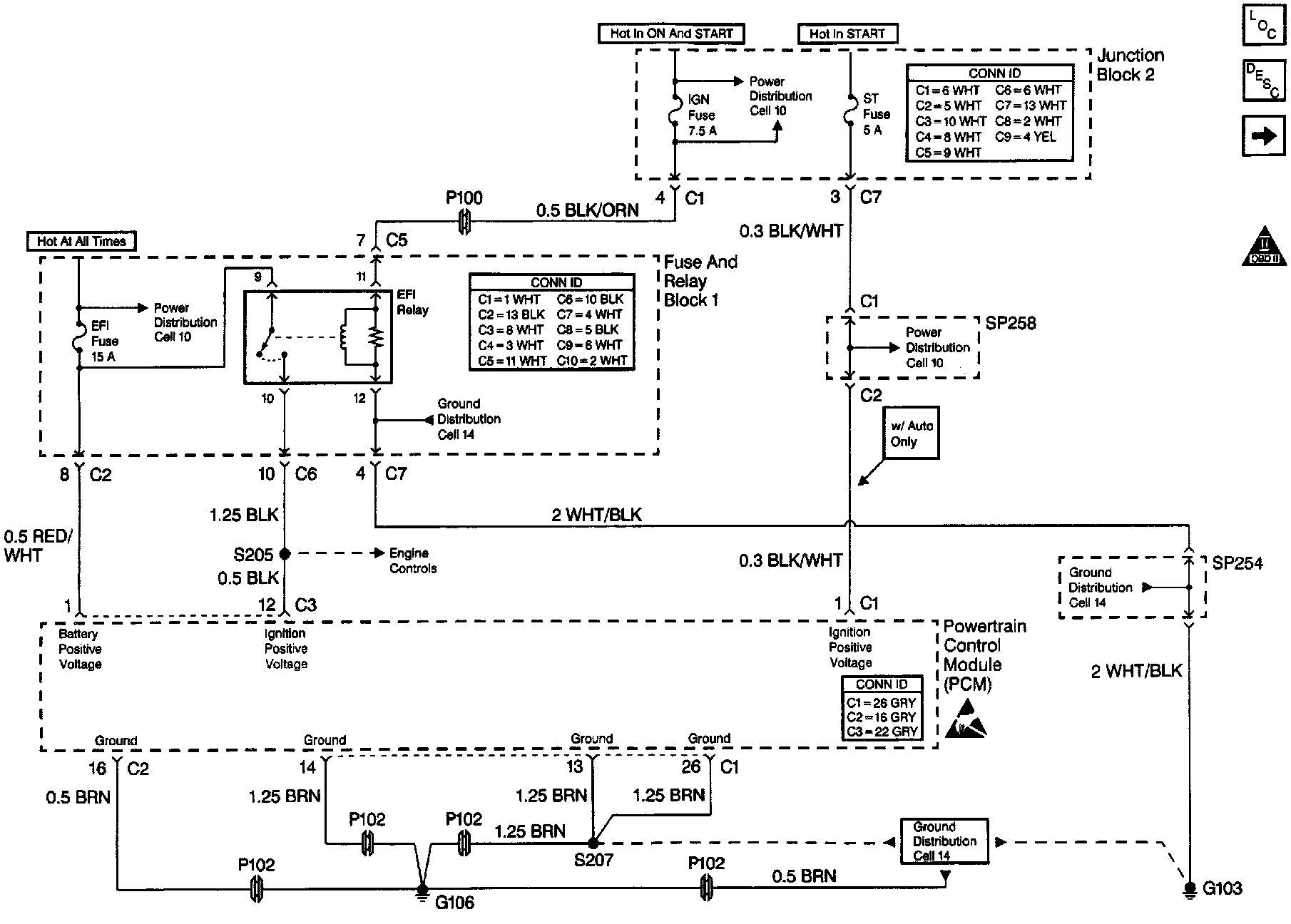
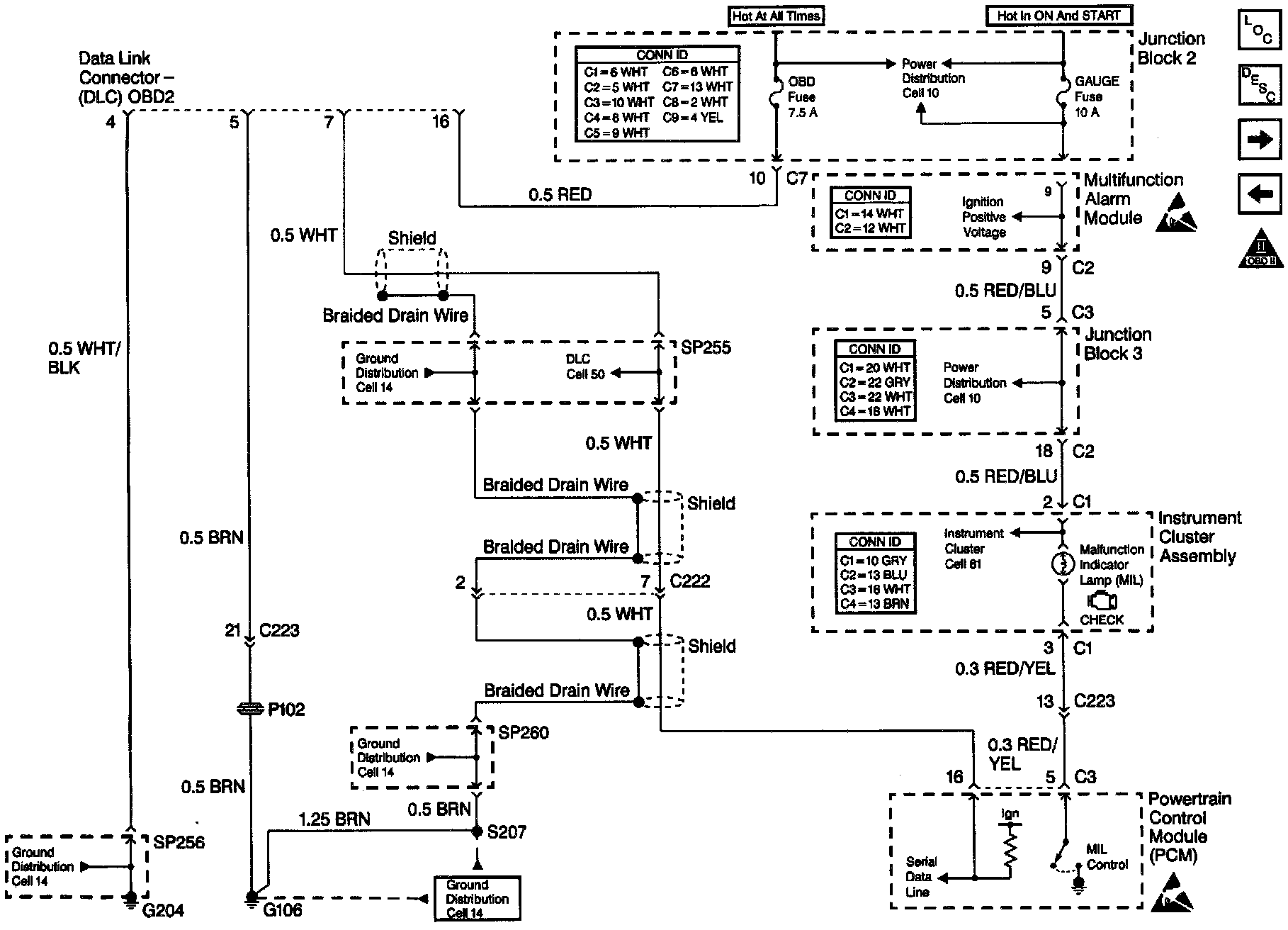
The Powertrain OBD System check is an organized approach to identifying a problem created by an electronic engine control system malfunction. The Powertrain OBD system check must be the starting point for any driveability complaint diagnosis, because it directs the service technician to the next logical step in diagnosing the complaint. Understanding the table and using it correctly will reduce diagnostic time and prevent the replacement of good parts.
DO NOT perform this check if a driveability complaint is not present.
This Powertrain System Check will provide direction for diagnosis of the following:
^ A faulty or inoperative PCM
^ No serial data
^ Malfunction indicator lamp (MIL) inoperative
^ PCM DTCs.
^ Fuel system rich or lean
^ Customer Complaint Driveability Symptoms.
Diagnostic Aids
Inspect all relative wiring and connections for an intermittent malfunction, including the connections at the PCM. Check electrical terminals for the following:
^ Damaged.
^ Corroded.
^ Not properly seated.
Test Description
Number(s) below refer to the step number(s) on the Diagnostic Table.
1. The Powertrain OBD System Check should not be performed unless one of the concerns noted is present, failure to follow this procedure could lead to misdiagnosis of the system.
2. The MIL should be ON steady with the ignition in ON and engine OFF.
3. Checking if the PCM and scan tool can communicate.
4. This step checks if the vehicle starts.
5. Before proceeding to the applicable DTC table consider all of the items below:
^ Check for related service bulletins.
^ If multiple DTCs are stored, refer to the DTC Table using the following priority:
1. PCM error DTCs.
2. System voltage DTCs.
3. Component level DTCs (sensors, switches, relays, output drivers, etc.).
4. System level DTCs (Misfire, Fuel trim, HO2S lean or rich, etc.).
^ First failures of Type B DTCs will store in Last Test Failed, but not in History. When the MIL is on and a DTC is displayed in History, a current fault is indicated.
^ If the scan tool is unable to record DTC information, then record the DTC information on paper.
7. Before proceeding to Symptoms or Components, check for related service bulletins. The diagnostic tables are designed for use with a properly functioning scan tool. If a faulty scan tool is suspected connect it to another vehicle to verify operation. Serial data communications must be corrected before beginning any other diagnostic procedure. OBD II serial data may not transmit if system voltage is below 9.0 volts or above 16.0 volts. DO NOT clear DTCs unless directed by the diagnostic procedure. Clearing DTCs will also clear valuable Freeze Frame Data.