Diagnostic Mode
ALDL Connector:
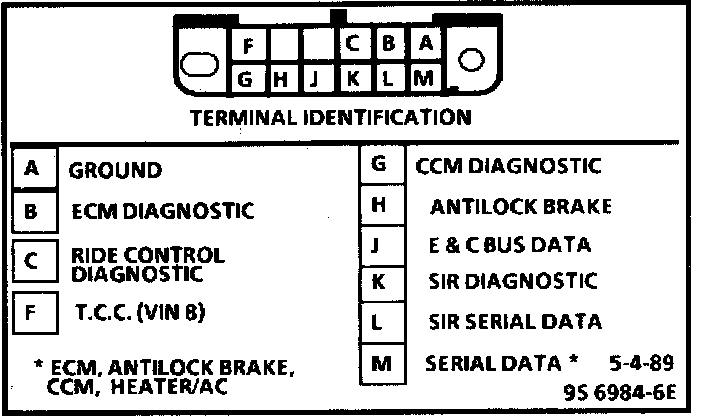
To enter the diagnostic mode, ground pin "G" of the ALDL connector and turn the ignition switch to the "ON" position.
Important
^ If the A/C fuse is blown, the CCM will not receive IGN 3 power and will not enter Diagnostic Mode. This condition should also be indicated by a Code 16 being set.
After turning the ignition "ON," the CCM will display any malfunction codes and the module for which they apply in an automatic code display sequence. The CCM is Module 1, the ECM is Module 4. During the automatic display sequence, each code is displayed for three seconds, followed by a one second pause before the next code is displayed. There is a three second pause between the code display sequence for each module. The end of the code list for each module is indicated by "---" being displayed in the speedometer. If there is a communications problem between the ECM and the CCM, the speedometer will display "Err" when the CCM is trying to "talk" to the ECM.
CCM Automatic Display Mode:
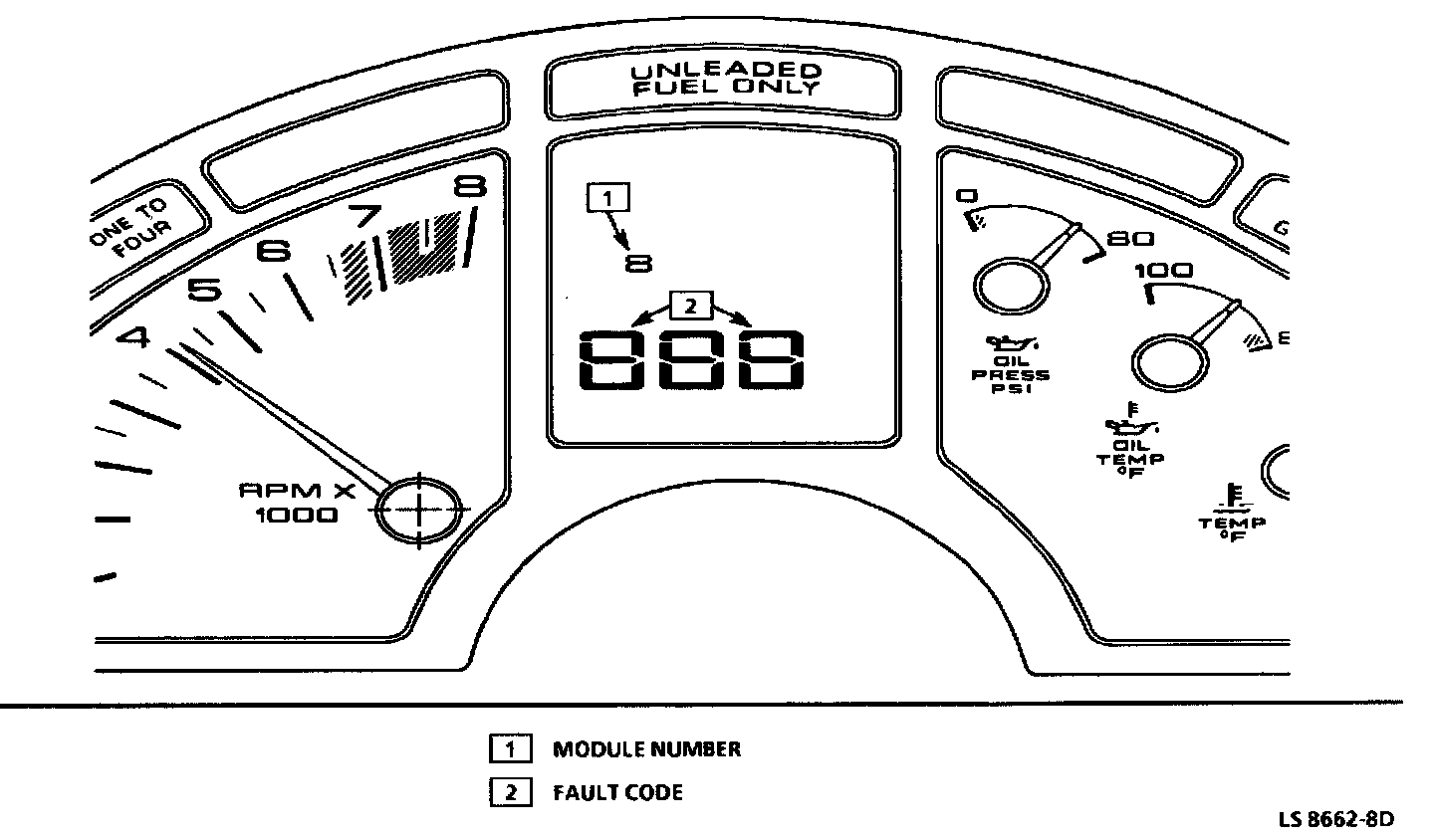
The particular module being interrogated is indicated on the trip monitor, and the codes are displayed on the speedometer. See illustration. The speedometer also indicates if the malfunction code is a current code (fault present now) or history code (fault has occurred, but is not present now) with a "C" or an "H", respectively. All ECM codes will be displayed by the CCM as history codes, whether they are current or history.
Driver Information Center Buttons:
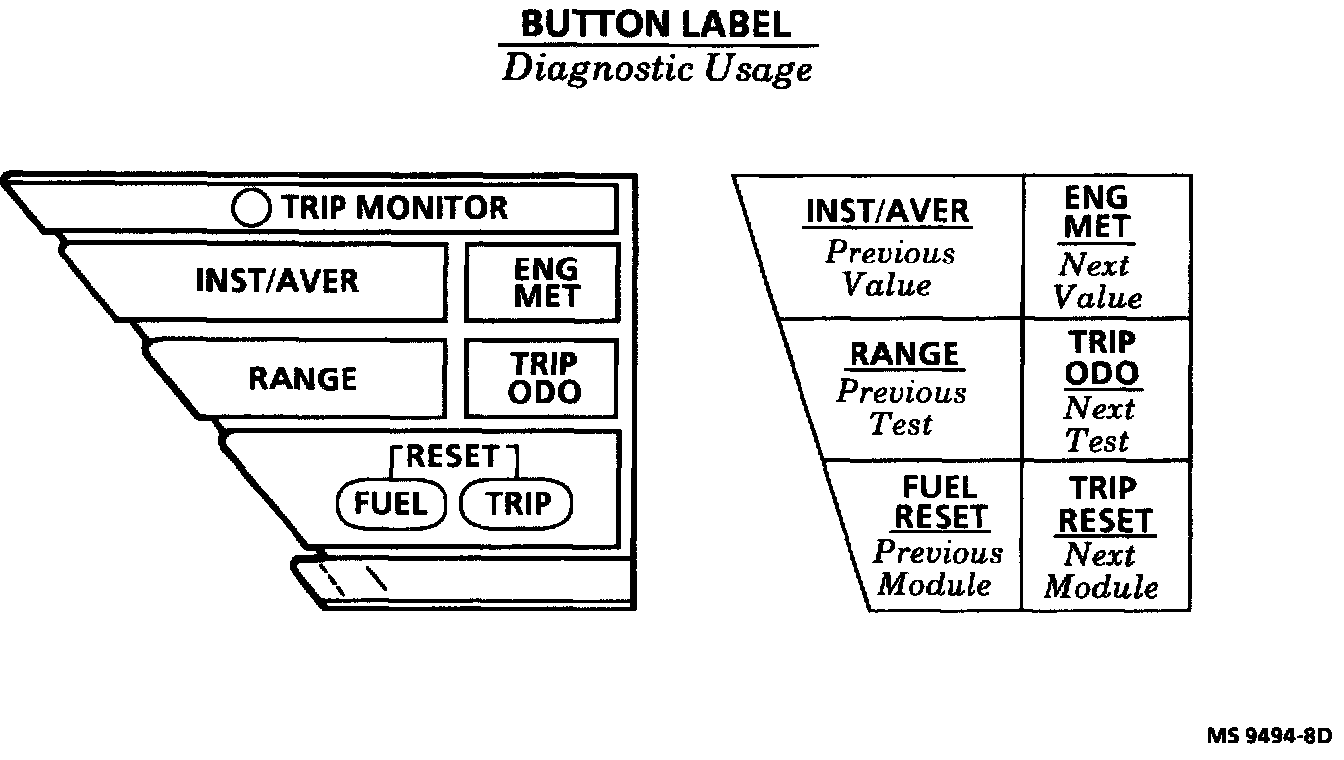
When all malfunction codes have been displayed for all modules, the trip monitor will display 1.0 and the speedometer will be blank; this indicates the CCM is in the Manual Mode, waiting for input from the technician. At any time during the automatic code display sequence, the Manual Mode may be entered by pressing any button on the DIC.