Buttons In Center Console Storage Compartment
Buttons In Center Console Storage Compartment
• Turn off the ignition and all electrical consumers.
• Remove the key.
• When removing and installing components in visible area (switches, covers, trim, etc.), cover by taping the areas at which a prying tool ( Trim Removal Wedge (VAS 3409) , screwdriver) will be positioned using commercially available adhesive tape.
Depending on the vehicle equipment level, the following switches may be installed inside the center console storage compartment:
• Start System Button (E378)
• Parking Aid Button (E266)
• ASR/ESP Button (E256)
• Removing and installing a single button (start system button) is described here. Removing and installing the other buttons is identical.
Removing
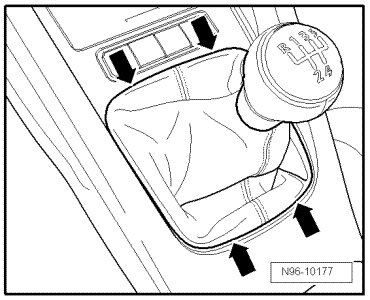
- Carefully pry the selector lever boot out of the center console - arrows -.
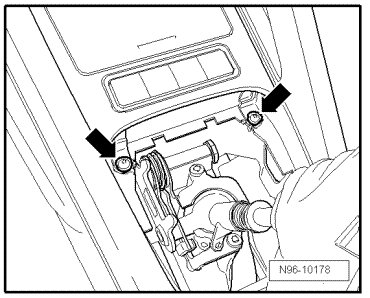
- Remove bolts - arrows - (2 Nm).
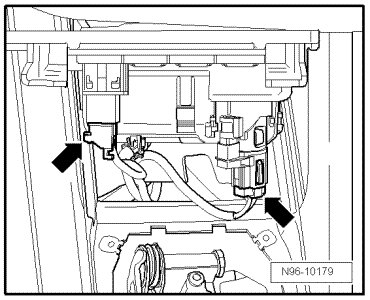
- Remove the ashtray from the center console.
- Disconnect the connectors - arrows -.
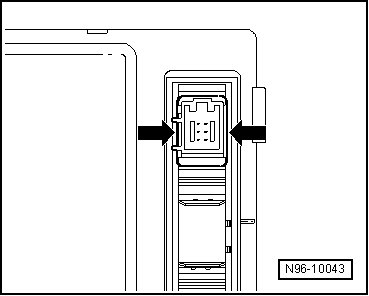
- Open the tabs - arrows - and remove the start system button.
Installing
Install in reverse order of removal.