Inspection Procedure C-6
Central Door Locking System: Forgotten key prevention function does not work normally.NOTE: This troubleshooting procedure requires use of scan tool MB991502 and SWS monitor kit MB991862. For details on how to use the SWS monitor, refer to "How to use SWS monitor."
Forgotten Key Prevention Circuit:
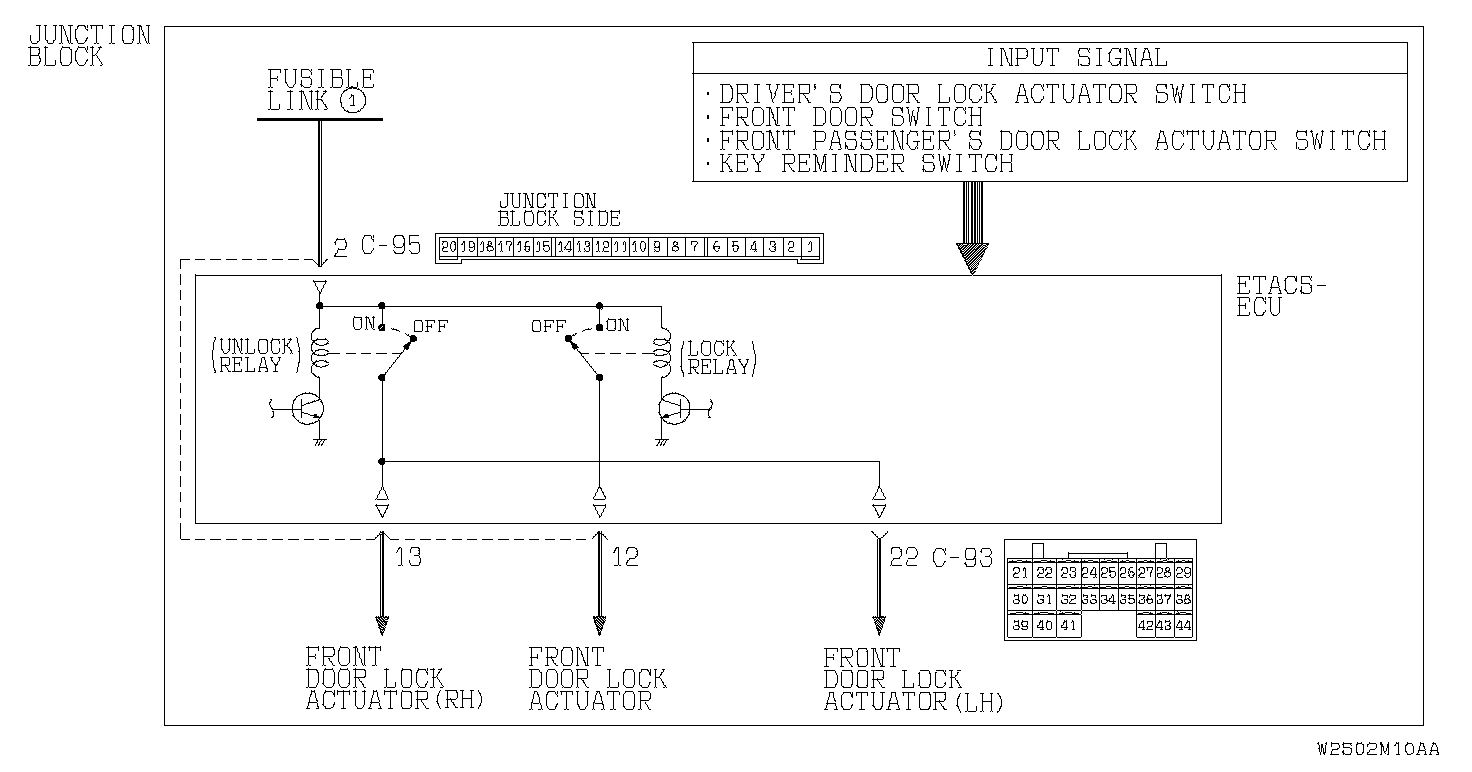
CIRCUIT OPERATION
The ETACS-ECU operates the forgotten key prevention function according to the following switches:
- Key reminder switch: OFF
- Driver's or front passenger's door switch: ON
- Driver's or front passenger's door lock actuator switch: being turned on
The ETACS-ECU operates the forgotten key prevention function under the following conditions:
- Ignition key: inserted into the ignition key cylinder
- Driver's or front passenger's door: open
- Driver's or front passenger's door lock: being locked
TECHNICAL DESCRIPTION (COMMENT)
If the function does not work normally, the input circuit system from the switches or the ETACS-ECU may be defective (refer to "CIRCUIT OPERATION").
TROUBLESHOOTING HINTS
- The key reminder switch may be defective
- The driver's or front passenger's door switch may be defective
- The driver's or front passenger's door lock actuator switch may be defective
- The ETACS-ECU may be defective
- The wiring harness or connectors may have loose, corroded, or damaged terminals, or terminals pushed back in the connector
DIAGNOSIS
Required Special Tools:
- MB991223: Harness Set
- MB991502: Scan Tool (MUT-II)
- MB991862: SWS monitor kit
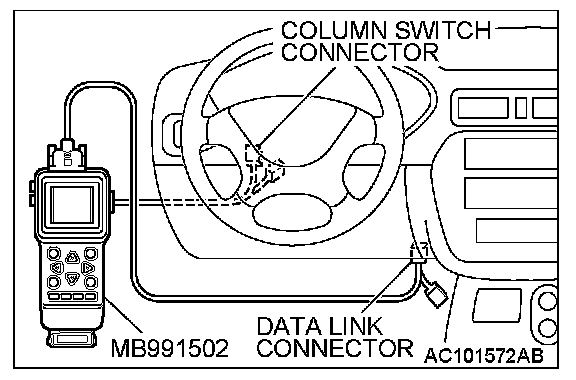
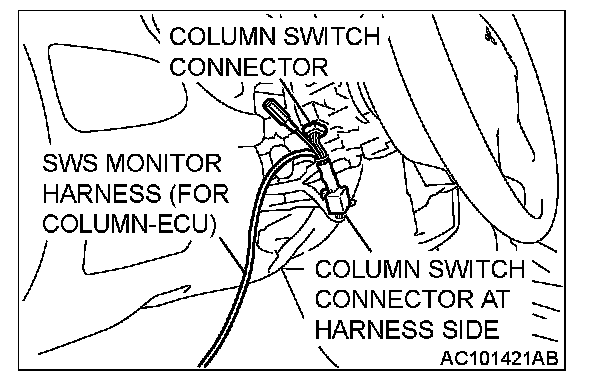
STEP 1. Use scan tool MB991502 to select "ECU COMM CHK" on the SWS monitor display.
Check the ETACS-ECU.
CAUTION:
To prevent damage to scan tool MB991502, always turn the ignition switch to the "LOCK" (OFF) position before connecting or disconnecting scan tool MB991502. Connect the DLC harness before connecting the column-ECU harness. Be sure to connect SWS monitor kit MB991862 after turning on scan tool MB991502.
1. Connect scan tool MB991502 to the data link connector.
2. Connect SWS monitor kit MB991862 to the column switch connector.
3. Operate scan tool MB991502 according to the procedure below to display "ECU COMM CHK."
1. Select "SYSTEM SELECT."
2. Select "SWS."
3. Select "SWS MONITOR."
4. Select "ECU COMM CHK."
4. Scan tool MB991502 should show "OK" on the "ECU COMM CHK" menu for the "ETACS ECU" menu.
Q: Is "OK" displayed on the "ETACS ECU" menu?
YES: Go to Step 2.
NO: Refer to Inspection Procedure A-3 "Communication with ETACS-ECU is not possible."
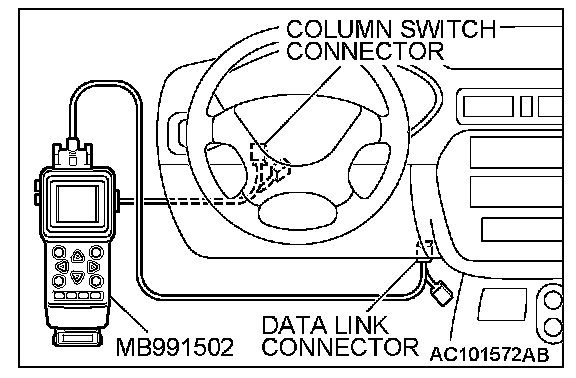
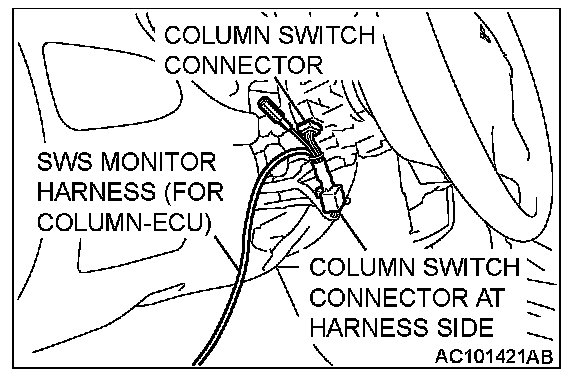
STEP 2. Check the input signal by using service data of the SWS monitor.
Turn the ignition switch to the "ON" position before checking input signals from the ignition switch (IG1).
Operate the MUT-II according to the procedure below to display "ETACS ECU."
1. Select "SYSTEM SELECT."
2. Select "SWS."
3. Select "SWS MONITOR."
4. Select "DATA LIST."
5. Select "ETACS ECU."

Check that normal conditions are displayed on the items described in the table.
Q: Does the scan tool display "DR DOOR SW" as normal condition?
YES: Go to Step 3.
NO: Refer to Inspection Procedure N-4 "ETACS-ECU does not receive any signal from the driver's or the front passenger's door switch."
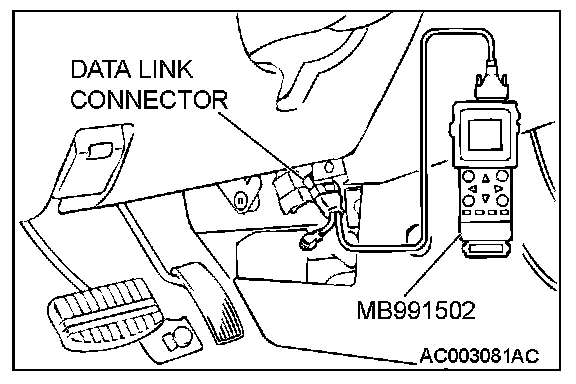
STEP 3. Check the input signal by using the pulse check mode of the monitor.
Check the input signals from the key reminder switch.
- Check whether scan tool MB991502 sounds or not when the ignition key is removed.
Operate scan tool MB991502 according to the procedure below to display "PULSE CHECK."
1. Select "SYSTEM SELECT."
2. Select "SWS."
3. Select "PULSE CHECK."
Q: Does scan tool MB991502 sound when the ignition key is removed and reinserted?
YES: Go to Step 4.
NO: Refer to Inspection Procedure N-1 "ETACS-ECU does not receive any signal from the key reminder switch."
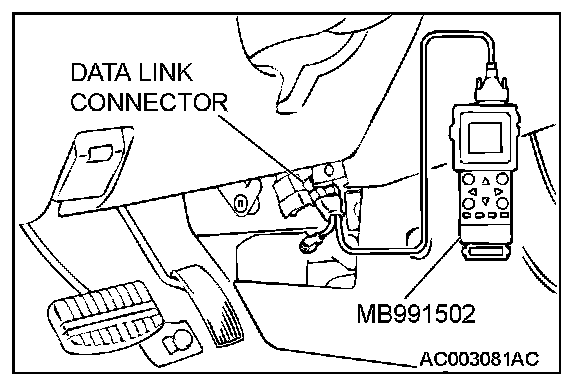
STEP 4. Check the input signal by using the pulse check mode of the monitor.
Check the input signals from the driver's or front passenger's door lock actuator switches:
- Check whether scan tool MB991502 sounds or not when the driver's or front passenger's door lock actuator switch turned on.
Operate scan tool MB991502 according to the procedure below to display "PULSE CHECK."
1. Select "SYSTEM SELECT."
2. Select "SWS."
3. Select "PULSE CHECK."
Q: Does scan tool MB991502 sound whenever the driver's and front passenger's door lock actuator switches are operated?
YES: Replace the ETACS-ECU. The forgotten key prevention function should work normally.
NO: Refer to Inspection Procedure N-6 "ETACS-ECU does not receive a signal from the driver's door lock actuator switch."