Inspection Procedure B-3
Tone Alarm: Seat belt tone alarm function does not work normally.NOTE: This troubleshooting procedure requires the use of scan tool MB991502 and SWS monitor kit MB991862. For details on how to use the SWS monitor, refer to "How to use SWS monitor."
Seat Belt Tone Alarm Function:
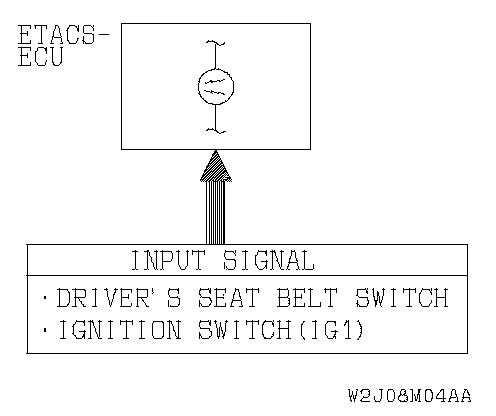
CIRCUIT OPERATION
The ETACS-ECU operates the seat belt tone alarm function according to signals from the following switches:
- Ignition switch (IG1): ON
- Driver's seat belt switch: ON
The ETACS-ECU operates the seat belt tone alarm function under the following conditions:
- Ignition switch(IG1): "ON" position
- Driver's seat belt: Unfastened
TECHNICAL DESCRIPTION (COMMENT)
If the function does not work normally, the input circuit system from the switches or the ETACS-ECU may be defective (refer to "CIRCUIT OPERATION").
TROUBLESHOOTING HINTS
- The driver's seat belt switch may be defective
- The ETACS-ECU may be defective
- The wiring harness or connectors may have loose, corroded, or damaged terminals, or terminals pushed back in the connector
DIAGNOSIS
Required Special Tools:
- MB991223: Harness Set
- MB991502: Scan Tool (MUT-II)
- MB991862: SWS monitor kit
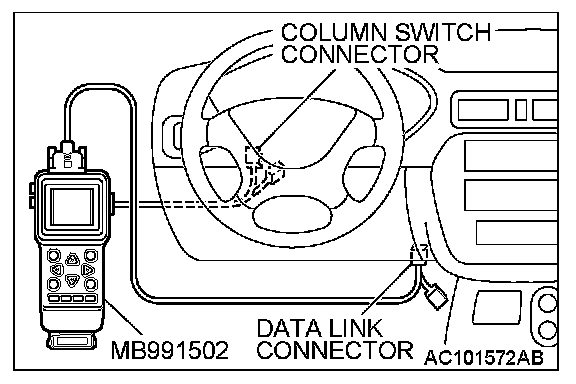
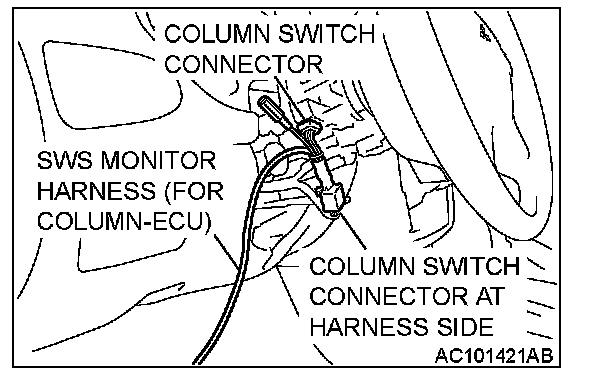
STEP 1. Use scan tool MB991502 to select "ECU COMM CHK" on the SWS monitor display.
Check the ETACS-ECU.
CAUTION:
To prevent damage to scan tool MB991502, always turn the ignition switch to the "LOCK" (OFF) position before connecting or disconnecting scan tool MB991502. Connect the DLC harness before connecting the column-ECU harness. Be sure to connect SWS monitor kit MB991862 after turning on scan tool MB991502.
1. Connect scan tool MB991502 to the data link connector.
2. Operate scan tool MB991502 according to the procedure below to display "ECU COMM CHK."
1. Select "SYSTEM SELECT."
2. Select "SWS."
3. Select "SWS MONITOR."
4. Select "ECU COMM CHK."
3. Scan tool MB991502 should show "OK" on the "ECU COMM CHK" menu for the "ETACS ECU" menu.
Q: Is "OK" displayed on the "ETACS ECU" menu?
YES: Go to Step 2.
NO: Refer to Inspection Procedure A-3 "Communication with ETACS-ECU is not possible."
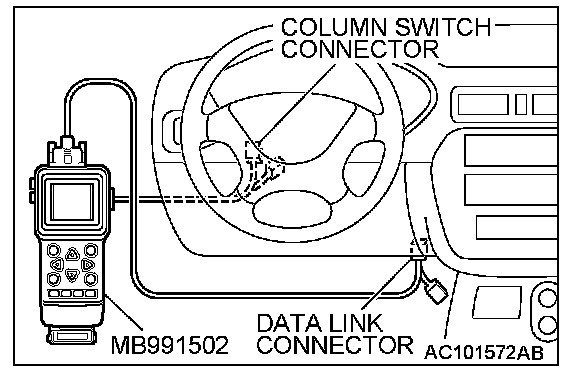
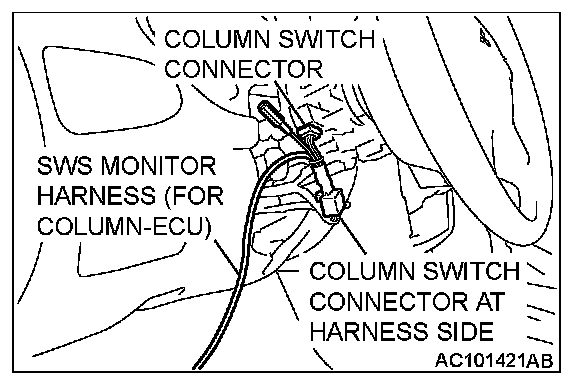
STEP 2. Check the input signal by using "DATA LIST" menu of the SWS monitor.
Turn the ignition switch to the "ON" position before checking input signals from the ignition switch (IG1).
Operate scan tool MB991502 according to the procedure below to display "ETACS ECU."
1. Select "SYSTEM SELECT."
2. Select "SWS."
3. Select "SWS MONITOR."
4. Select "DATA LIST."
5. Select "ETACS ECU."

Check that normal conditions are displayed on the items described in the table.
Q: Does the scan tool display "IG SW (IG1)" as normal condition?
YES: Go to Step 3.
NO: Refer to Inspection Procedure M-2 "ETACS-ECU does not receive any signal from the ignition switch (IG1)."
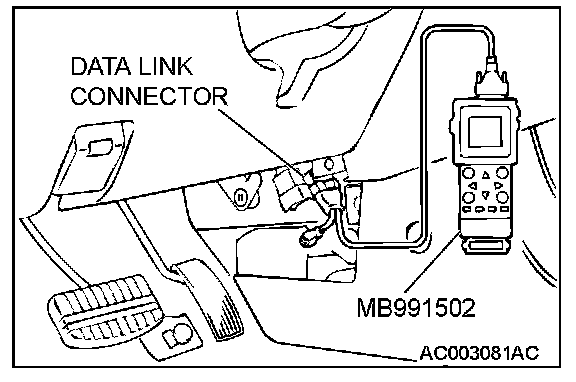
STEP 3. Check the input signal by using the pulse check mode of the monitor.
Check input signal from the driver's side seat belt switch.
- When the driver's seat belt is fastened, check if scan tool MB991502 sounds or not.
Operate scan tool MB991502 according to the procedure below to display "PULSE CHECK."
1. Select "SYSTEM SELECT."
2. Select "SWS."
3. Select "PULSE CHECK."
Q: Does scan tool MB991502 sound when the driver's side seat belt is fastened?
YES: Replace the ETACS-ECU. Verify that the seat belt tone alarm function works normally.
NO: Refer to Inspection Procedure N-3 "ETACS-ECU does not receive any signal from the driver's side seat belt switch."