Initial Inspection and Diagnostic Overview
Operational CheckThe purpose of the operational check is to confirm that the system operates properly.
Conditions :Engine running at usual operating temperature
CHECKING MEMORY FUNCTION
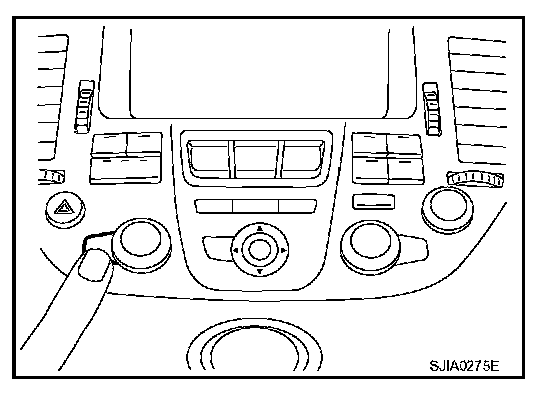
1. Set the temperature 90 °F or 32 °C.
2. Press OFF switch.
3. Turn the ignition switch OFF.
4. Turn the ignition switch ON.
5. Press the AUTO switch.
6. Confirm that the set temperature remains at previous temperature.
7. Press OFF switch.
If NG, go to trouble diagnosis procedure for ATC-105, "Memory Function". Memory Function
If OK, continue the check.
CHECKING BLOWER
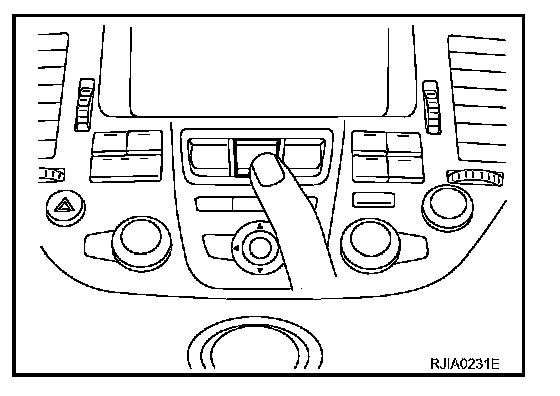
1. Press fan switch (up side) one time. Blower should operate on low speed. The fan symbol should have one blade lit.
2. Press fan switch (up side) one more time, and continue checking blower speed and fan symbol until all speeds are checked.
3. Leave blower on Max. speed.
If NG, go to trouble diagnosis procedure for ATC-81, "Blower Motor Circuit". Blower Motor Circuit
If OK, continue the check.
CHECKING DISCHARGE AIR
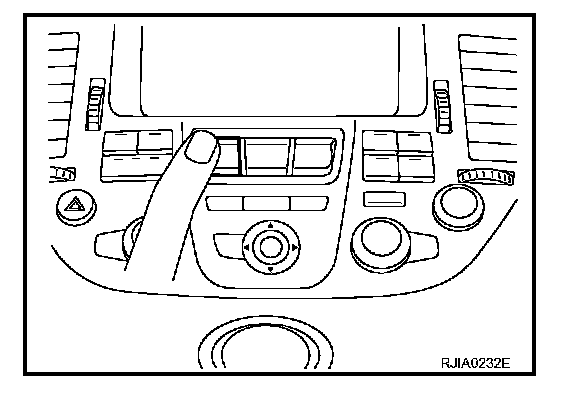
1. Press mode switch four times and DEF switch.
2. Each position indicator should change shape.
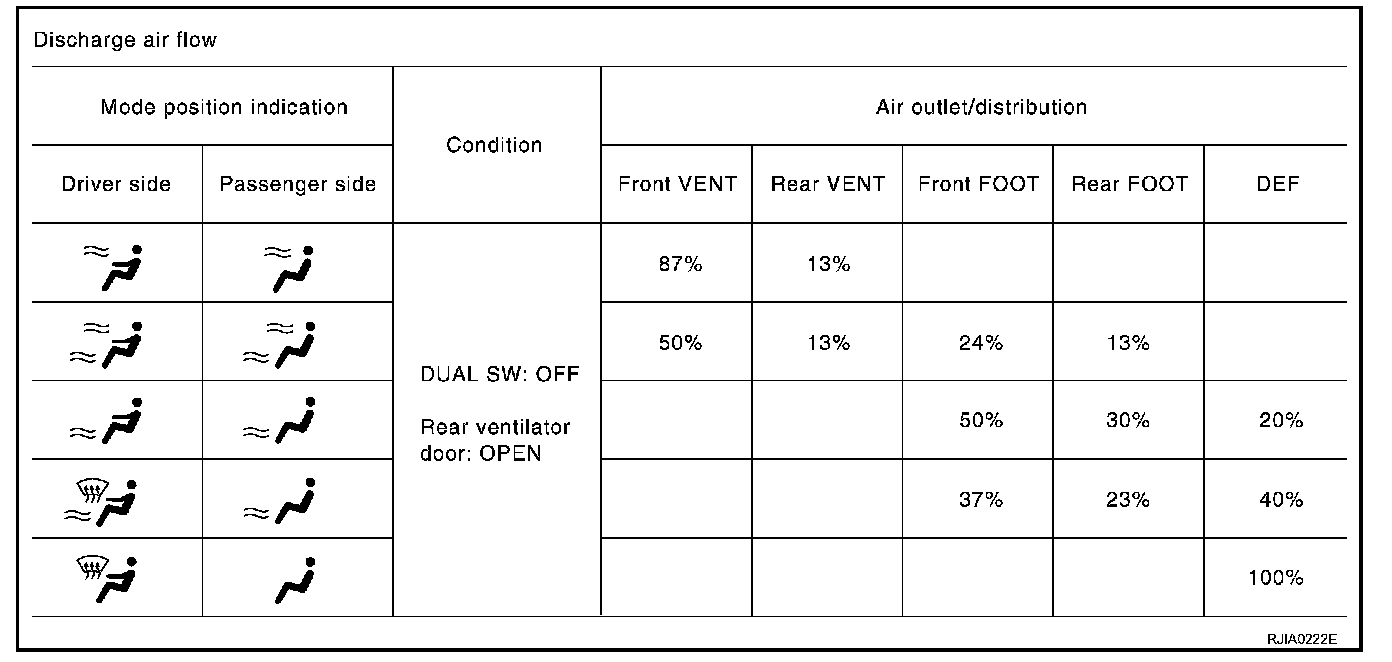
3. Confirm that discharge air comes out according to the air distribution table. Refer to "Discharge Air Flow".
Intake door position is checked in the next step.
If NG, go to trouble diagnosis procedure for ATC-71, "Mode Door Motor Circuit". Mode Door Motor Circuit
If OK, continue the check.
NOTE: Confirm that the compressor clutch is engaged (sound or visual inspection) and intake door position is at FRESH when the DEF is selected.
CHECKING RECIRCULATION
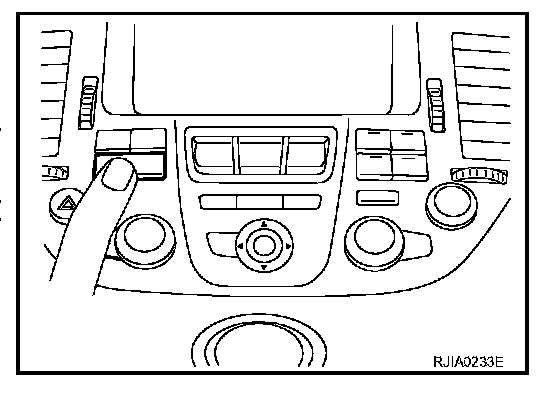
1. Press intake switch one time.
2. Press intake switch again. Recirculation indicator should illuminate.
3. Listen for intake door position change (you should hear blower sound change slightly).
If NG, go to trouble diagnosis procedure for ATC-77, "Intake Door Motor Circuit". Intake Door Motor Circuit
If OK, continue the check.
CHECKING TEMPERATURE DECREASE
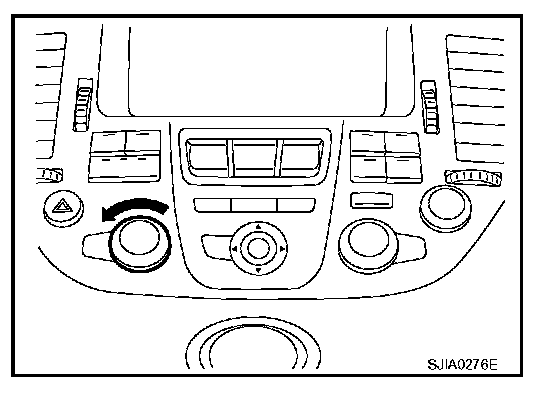
1. Turn the temperature dial (driver side) until 18 °C (60 °F) is displayed.
2. Check for cold air at discharge air outlets.
If NG, go to trouble diagnosis procedure for ATC-93, "Insufficient Cooling". Insufficient Cooling (Performance Test)
If OK, continue the check.
CHECKING TEMPERATURE INCREASE
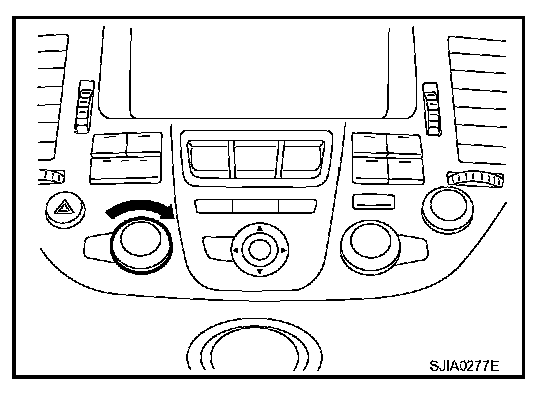
1. Turn the temperature dial (driver side) until 32 |C (90 °F) is displayed.
2. Check for hot air at discharge air outlets.
If NG, go to trouble diagnosis procedure for ATC-102, "Insufficient Heating". Insufficient Heating
If OK, continue the check.
CHECK ECON (ECONOMY) MODE
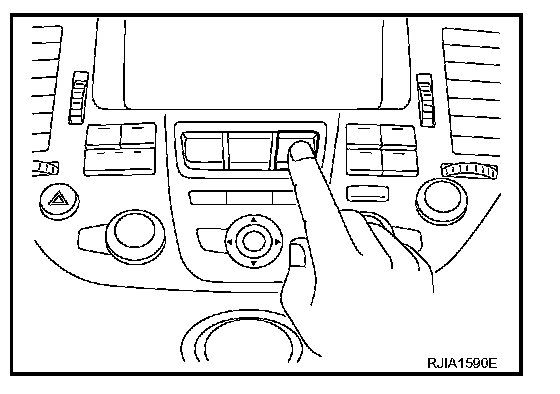
1. Set the temperature 75 °F or 25 °C.
2. Press ECON switch.
3. Display should indicate ECON (not AUTO).
4. Press ECON switch again. Display should disappear ECON.
- Confirm that the compressor clutch is not engaged (sound or visual inspection). (Discharge air and blower speed will depend on ambient, in-vehicle, and set temperatures.)
If NG, go to trouble diagnosis procedure for ATC-106, "ECON (ECONOMY) MODE". ECON (Economy) Mode Does Not Operate
If OK, continue the check.
CHECKING AUTO MODE
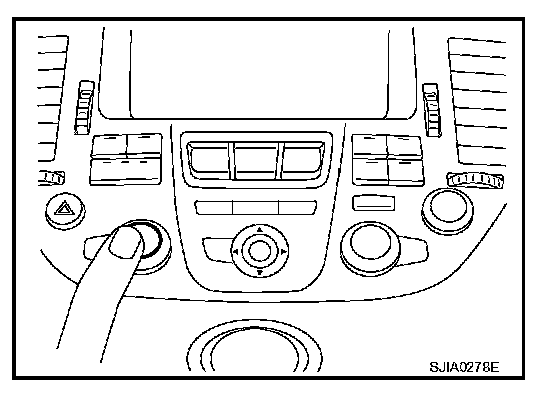
1. Press AUTO switch.
2. Display should indicate AUTO (not ECON).
- Confirm that the compressor clutch engages (sound or visual inspection). (Discharge air and blower speed will depend on ambient, in-vehicle, and set temperatures.)
If NG, go to trouble diagnosis procedure for ATC-65, "Power Supply and Ground Circuit for Auto Amp.", Power Supply and Ground Circuit For Auto Amp. then if necessary, trouble diagnosis procedure for ATC-86, "Magnet Clutch Circuit". Magnet Clutch Circuit
If all operational checks are OK (symptom cannot be duplicated), go to Incident Simulation Tests in GI-26, "How to Perform Efficient Diagnosis for an Electrical Incident" How to Perform Electrical Incident Simulation Tests and perform tests as outlined to simulate driving conditions environment. If symptom appears, refer to ATC-36, "SYMPTOM TABLE" Symptom Matrix Chart and perform applicable trouble diagnosis procedures.